
Query editor
- PostgreSQL
- MySQL
- MariaDB
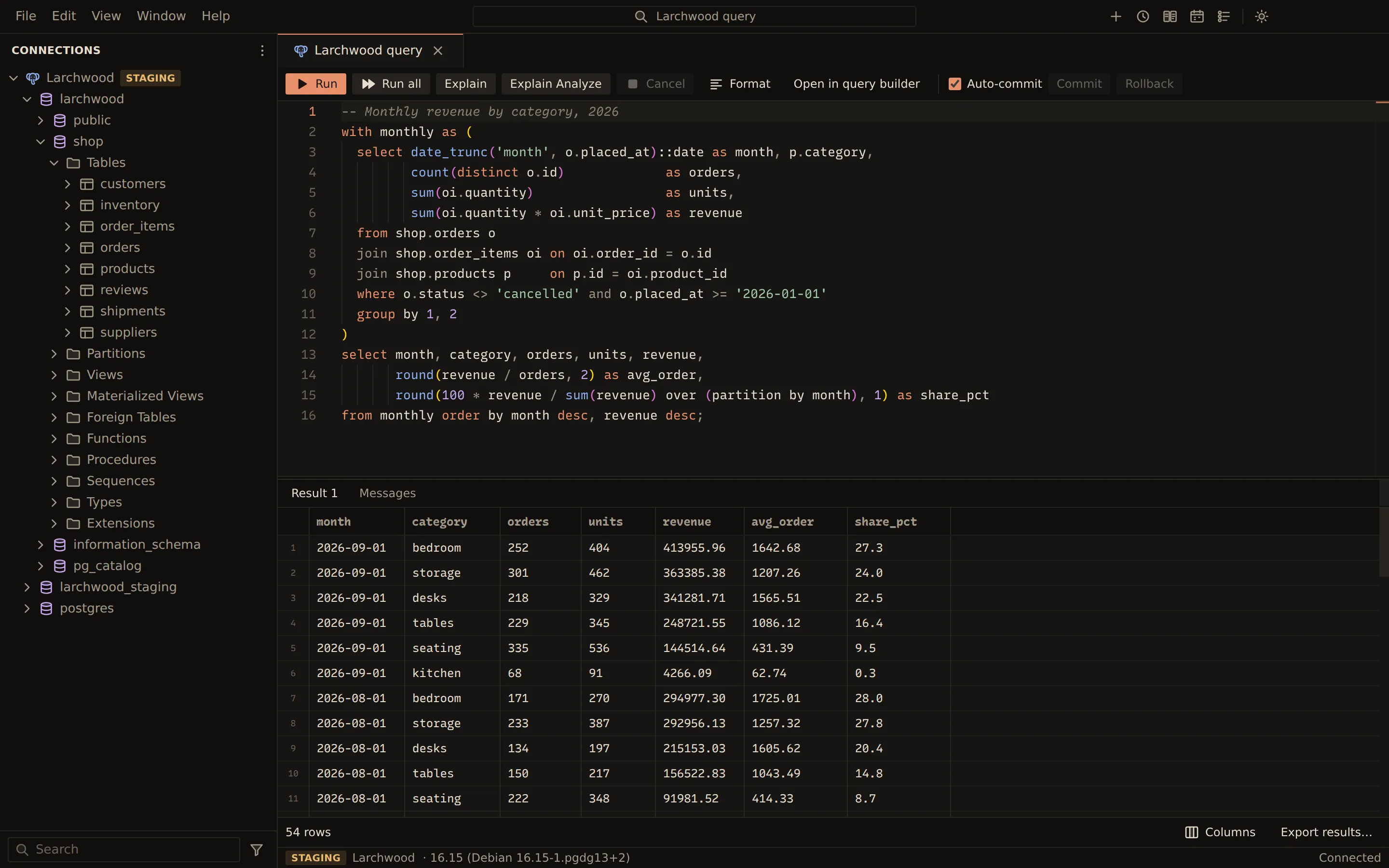
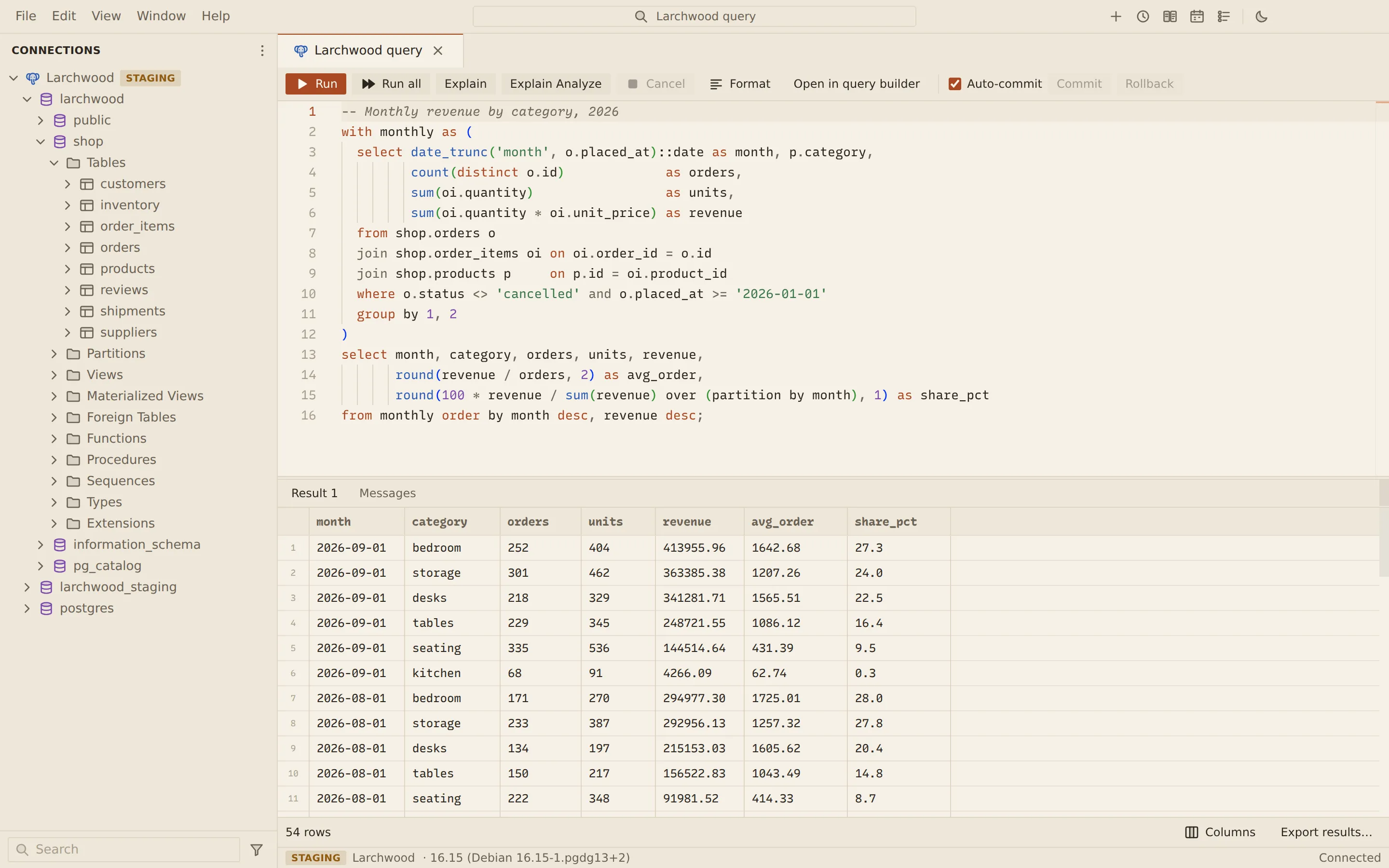
A query tab is where you write and run SQL against one connection. The editor is Monaco, with
your dialect’s highlighting, inline syntax errors, autocomplete and
signature help. You can run the whole script, the statement at the cursor, or a selection. Each
tab has its own session on the server, so its transaction, USE and search_path stay with it.
Open a query tab
Section titled “Open a query tab”- Double-click a MySQL, MariaDB or PostgreSQL connection in the sidebar to connect it.
- Choose New query (the plus button) in the title bar, or press Ctrl + T (Cmd + T on macOS). You can also right-click the connection, or use its Actions button, and choose New query tab.
New query and Ctrl + T open the tab on the connection of the tab you are in, or on an open connection when that tab has none. The command palette (Ctrl + Shift + P) runs the same command as Query: New Query Tab; see Command palette.
The footer of the tab shows the connection, the server version and the connection status.
Run SQL
Section titled “Run SQL”| Action | Toolbar | Keys |
|---|---|---|
| Run the selection, or the statement at the cursor | Run | Ctrl + Enter |
| Run every statement | Run all | Ctrl + Shift + Enter |
| Format the SQL | Format | Shift + Alt + F |
| Show the plan | Explain | Ctrl + E |
| Run and measure the plan | Explain Analyze | Ctrl + Shift + E |
On macOS, Cmd takes the place of Ctrl in every shortcut above.
- Statement at the cursor. When the cursor sits after a statement (on its delimiter, a trailing comment or the blank lines after it), that statement runs. Before the first statement, the first one runs.
- Selection. The selected text is split into statements and each one runs in order.
- Run all. Every statement in the tab runs in order. A failed statement stops the script.
Statements run one at a time. Each statement’s messages, row counts and timings go to the Messages tab. An error is marked in the editor at the position the server reports, and a click on the message brings you back to it.
The plan views are described in Visual explain. To build the statement at the cursor visually, choose Open in query builder (see Visual query builder).
- You run all of the editor, the statement at the cursor, or the selection.
- The splitter cuts the text into statements. It understands DELIMITER, dollar quoting and nested comments, so a function body stays whole.
- Each statement passes the safety check: a risky write, or any write on a production profile, waits for you to confirm it.
- The statement goes to the connection’s own host process, then through the profile’s SSH tunnel if it has one, to the server.
- Rows stream from the host straight to the page, 1,000 at a time, into the results grid. They never pass through the main process.
- Cancel asks the server itself to stop the statement, and the session stays usable.
How a script is split
Section titled “How a script is split”The splitter cuts a script on ; and understands:
- the MySQL and MariaDB
DELIMITERcommand, the way the mysql client reads it: the first word of a line, between statements - PostgreSQL dollar quoting (
$$ … $$and$tag$ … $tag$) and SQL-standard function bodies (BEGIN ATOMIC … END) - nested comments, which PostgreSQL allows, and strings
- MySQL executable comments such as
/*!40101 … */, which count as statements
DELIMITER //CREATE PROCEDURE shop.order_total(IN p_order INT)BEGIN SELECT SUM(quantity * unit_price) FROM shop.order_items WHERE order_id = p_order;END //DELIMITER ;Statements that hold only comments and whitespace are skipped.
Use parameters
Section titled “Use parameters”Write placeholders instead of literal values, and Querybara asks for the values before it runs.
| Placeholder | Example | Engines |
|---|---|---|
:name |
WHERE customer_id = :customer |
PostgreSQL, MySQL, MariaDB |
$1, $2 |
WHERE customer_id = $1 |
PostgreSQL, MySQL, MariaDB |
? |
WHERE customer_id = ? |
MySQL, MariaDB (on PostgreSQL ? is a jsonb operator) |
-
Write the statement with placeholders:
SELECT id, ordered_at, totalFROM shop.ordersWHERE customer_id = :customer AND total > :min_total; -
Run it. The Parameter values dialog lists each placeholder.
-
Type a value for each one, or tick NULL.
-
Choose Run.
Values are sent as bound parameters, never pasted into the SQL. A named parameter used in
several statements is asked for once. Placeholders inside strings, comments, quoted identifiers
and dollar-quoted bodies are ignored, as are PostgreSQL ::type casts and MySQL @variables.
One statement cannot mix placeholder styles.
Confirmations before risky writes
Section titled “Confirmations before risky writes”Before anything runs, every statement is checked. If any statement needs a confirmation, the dialog lists each one with its reasons, and nothing runs until you choose Run anyway. Cancel stops the whole run.
These statements always ask, on every connection:
UPDATEorDELETEwithout aWHEREclauseDROPof an object, andALTER … DROP COLUMNorDROP PARTITIONTRUNCATEEXPLAIN ANALYZEof a statement that writes, because it executes the statement
A connection marked as production in its profile asks before every write: the dialog is titled Run on a production connection? The Confirm every write option in the connection profile does the same for any connection. A profile marked Read-only refuses a script that contains a write, and nothing in it runs.
Cancel a running statement
Section titled “Cancel a running statement”Choose Cancel in the toolbar. Querybara asks the server to stop the statement over a separate
control connection (KILL QUERY on MySQL and MariaDB, pg_cancel_backend on PostgreSQL). If
the server has not stopped it after a few seconds, Querybara stops reading the result. The
Messages tab reports Query cancelled, and the tab’s session stays usable.
Transactions
Section titled “Transactions”Each query tab starts in auto-commit mode: every statement is committed as it runs.
- Clear Auto-commit in the toolbar.
- Run your statements. The next run starts a transaction, and the toolbar shows Transaction open.
- Choose Commit to keep the changes, or Rollback to undo them.
A BEGIN or START TRANSACTION you run yourself also shows Transaction open. Turning
Auto-commit back on while a transaction is open asks whether to commit it first. Closing a
tab with an open transaction, with its close button or Ctrl + W, asks first;
Roll back and close rolls the changes back.
History
Section titled “History”Every statement you run is recorded with its connection, time, duration, row count and status (succeeded, failed or cancelled).
- Choose History in the title bar, or press Ctrl + Shift + H (Cmd + Shift + H on macOS).
- Type in Search statements to filter the list. Tick Only the active tab’s connection to narrow it to one connection.
- Hover an entry and choose Open to put its text in a new query tab.
Autosave and crash recovery
Section titled “Autosave and crash recovery”Querybara saves the text of every query tab, its cursor position and its connection a couple of seconds after each change. Results and passwords are never saved.
- After a crash, the tabs come back when you start Querybara again, with the banner “Querybara closed unexpectedly. This tab was restored from its autosave”.
- After a normal quit, open tabs also come back, marked as restored from the last session.
- A restored tab does not connect or run anything by itself. Choose Dismiss to hide the banner.
- Closing a tab on purpose discards its saved text.
MongoDB consoles and shells and the Redis CLI are saved and restored the same way.
If the connection is lost
Section titled “If the connection is lost”When the connection drops, a banner across the tab shows the error. Choose Reconnect to open the connection again; the tab opens a new session on the next run.
Keys outside the editor
Section titled “Keys outside the editor”On macOS, use Cmd for Ctrl in these keys. They work anywhere in the window while no dialog is open, and you can change them in Keyboard Shortcuts. The editor’s own keys, in the table above, stay as they are. See Keyboard shortcuts.
| Action | Keys |
|---|---|
| New query tab | Ctrl + T |
| Close the tab | Ctrl + W |
| Show or hide history | Ctrl + Shift + H |
| Command palette | Ctrl + Shift + P |
| Keyboard Shortcuts editor | Ctrl + K, then Ctrl + S |
From the command line
Section titled “From the command line”querybara query runs SQL from -e, a file or stdin with the same splitter, the same parameter
styles and the same confirmations. Statements that need confirmation ask in a terminal, or need
--yes.
-e "select id, total from shop.orders where customer_id = :customer" \ --param customer=1042See querybara query for every flag.
Related
Section titled “Related”Documents Querybara 0.1.1 · built frombc9f5aa