
Export query as code
- MongoDB
Any query you build in Querybara can leave as a program: the find() of the collection view, the
enabled stages of the aggregation editor, or the translation of a SQL tab. The program is complete,
uses the official MongoDB driver for its language, and reads the connection string from the
MONGODB_URI environment variable, so it holds no credentials.
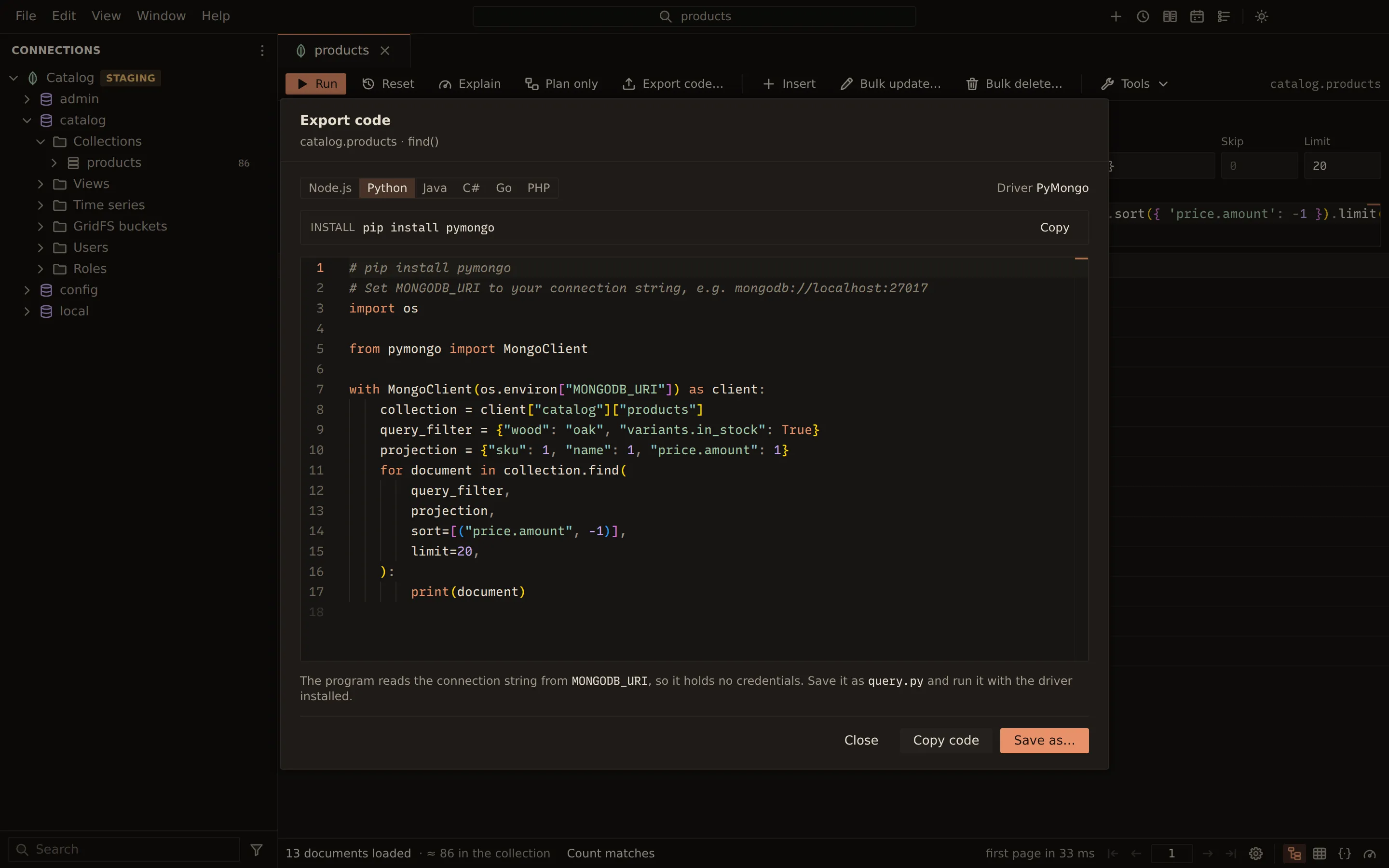
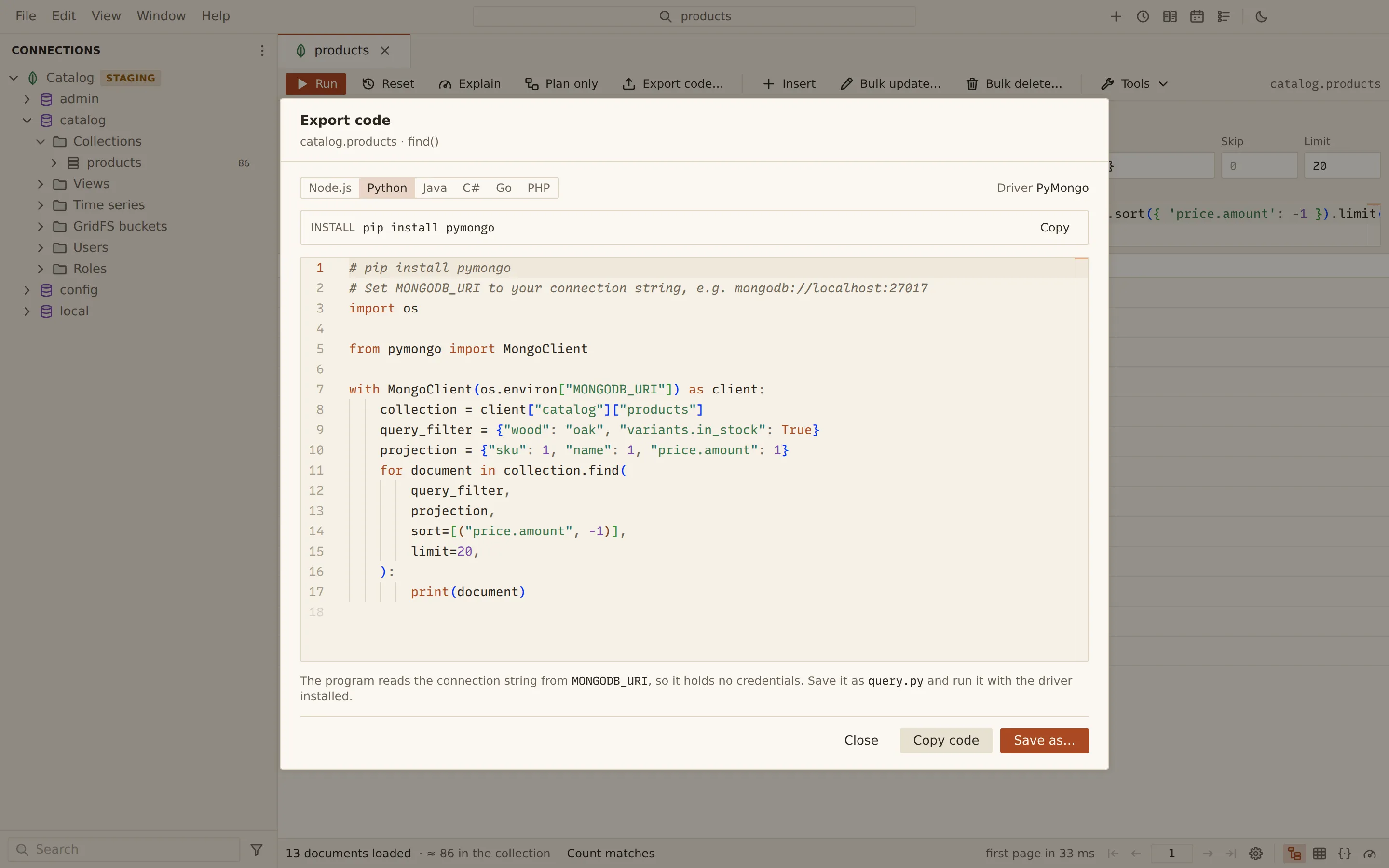
Export a query
Section titled “Export a query”- Choose Export code… in the collection view, the aggregation editor or a SQL tab.
- In the Export code dialog, pick the Language. The dialog names the driver and the command that installs it; Copy beside it copies that command.
- Choose Copy code to copy the program, or Save as… to save it to a file.
The dialog remembers the language you picked last.
Languages
Section titled “Languages”| Language | Driver | Install | Suggested file name |
|---|---|---|---|
| Node.js | mongodb | npm install mongodb |
query.js |
| Python | PyMongo | pip install pymongo |
query.py |
| Java | MongoDB Java Driver (sync) | Maven: org.mongodb:mongodb-driver-sync |
Query.java |
| C# | MongoDB.Driver | dotnet add package MongoDB.Driver |
Program.cs |
| Go | mongo-go-driver v2 | go get go.mongodb.org/mongo-driver/v2/mongo |
main.go |
| PHP | mongodb/mongodb | composer require mongodb/mongodb |
query.php |
Run the program
Section titled “Run the program”Set MONGODB_URI and run the file with the driver installed. For Python:
pip install pymongopython query.pyRelated
Section titled “Related”Documents Querybara 0.1.1 · built frombc9f5aa