
Sessions
- PostgreSQL
- MySQL
- MariaDB
- MongoDB
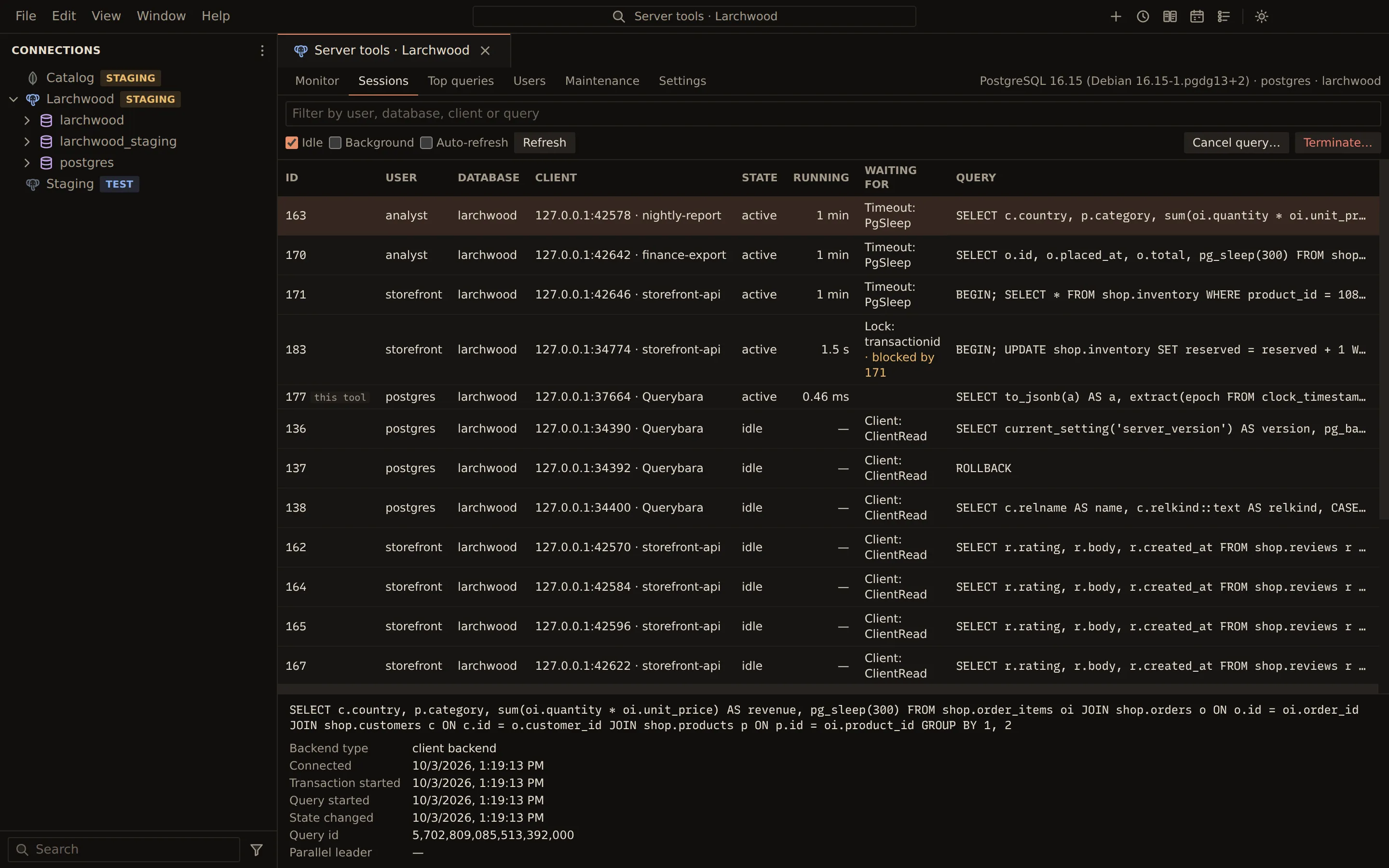
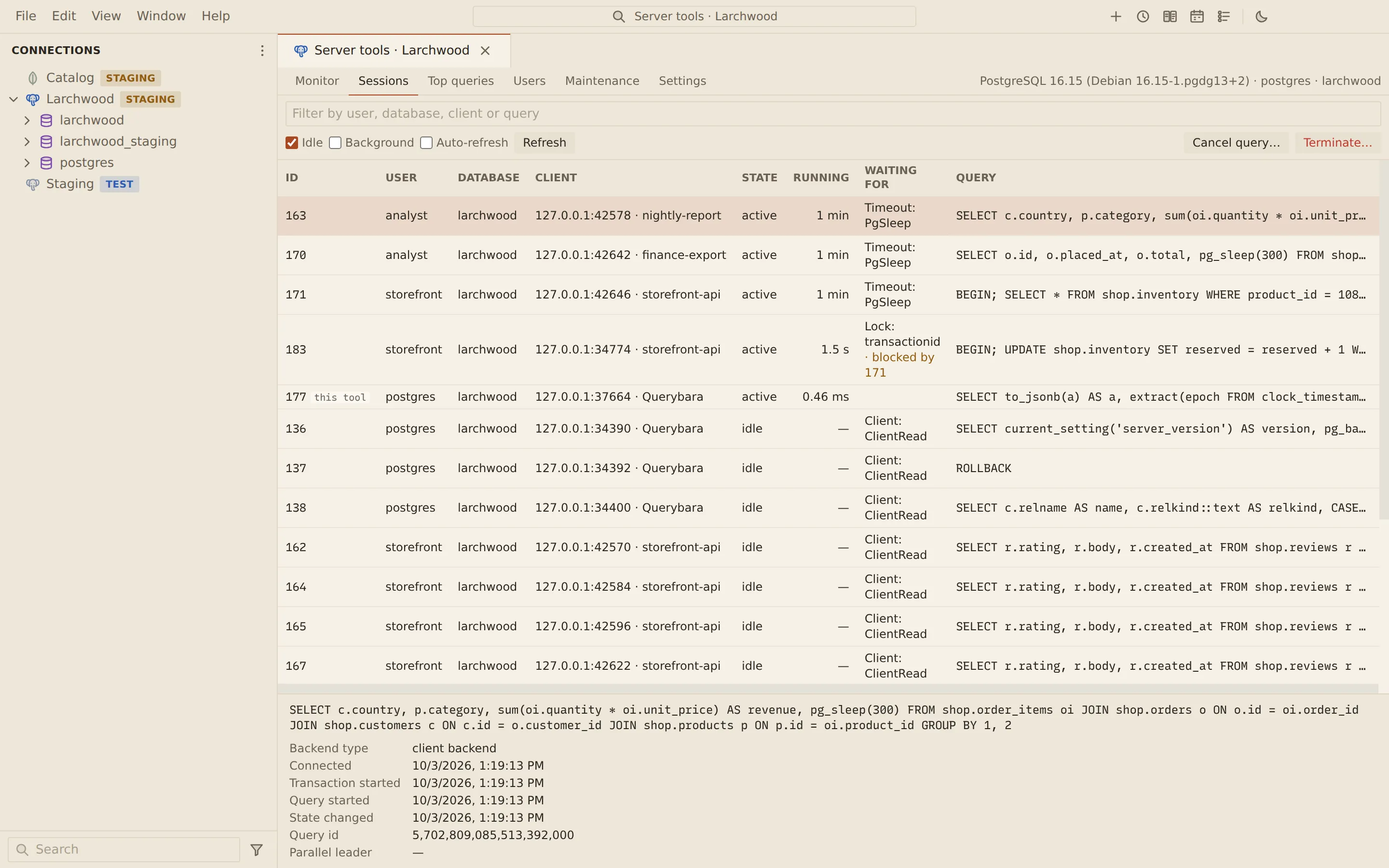
The Sessions tab of the server tools lists what is connected and running: pg_stat_activity
on PostgreSQL, the process list on MySQL and MariaDB, and $currentOp on MongoDB. Use it to find
a long-running or blocking query and stop it.
Find a session
Section titled “Find a session”Open Server tools from the connection’s menu and pick Sessions. The table lists each session’s id, user, database, client, state, running time, what it is waiting for and its query. Select a row to see every detail the server reports for it.
| Control | What it does |
|---|---|
| Filter sessions | Filters by user, database, client or query |
| Idle | Includes idle sessions |
| Background | Includes background processes |
| Auto-refresh | Reloads the list every 5 seconds |
| Refresh | Reloads the list now |
The server tools’ own session is marked this tool and cannot be signalled.
Stop a query or a session
Section titled “Stop a query or a session”- Select the session.
- Choose the action in the toolbar.
- Read the exact statement in the confirmation, then confirm.
| Engine | Actions |
|---|---|
| PostgreSQL | Cancel query… (pg_cancel_backend; the session stays) and Terminate… (pg_terminate_backend; its open transaction rolls back) |
| MySQL and MariaDB | Kill query… (KILL QUERY; the connection stays) and Kill connection… (KILL CONNECTION; its open transaction rolls back) |
| MongoDB | Kill operation… (killOp; the operation stops at its next interrupt point) |
Related
Section titled “Related”Documents Querybara 0.1.1 · built frombc9f5aa