
CLI
- Redis / Valkey
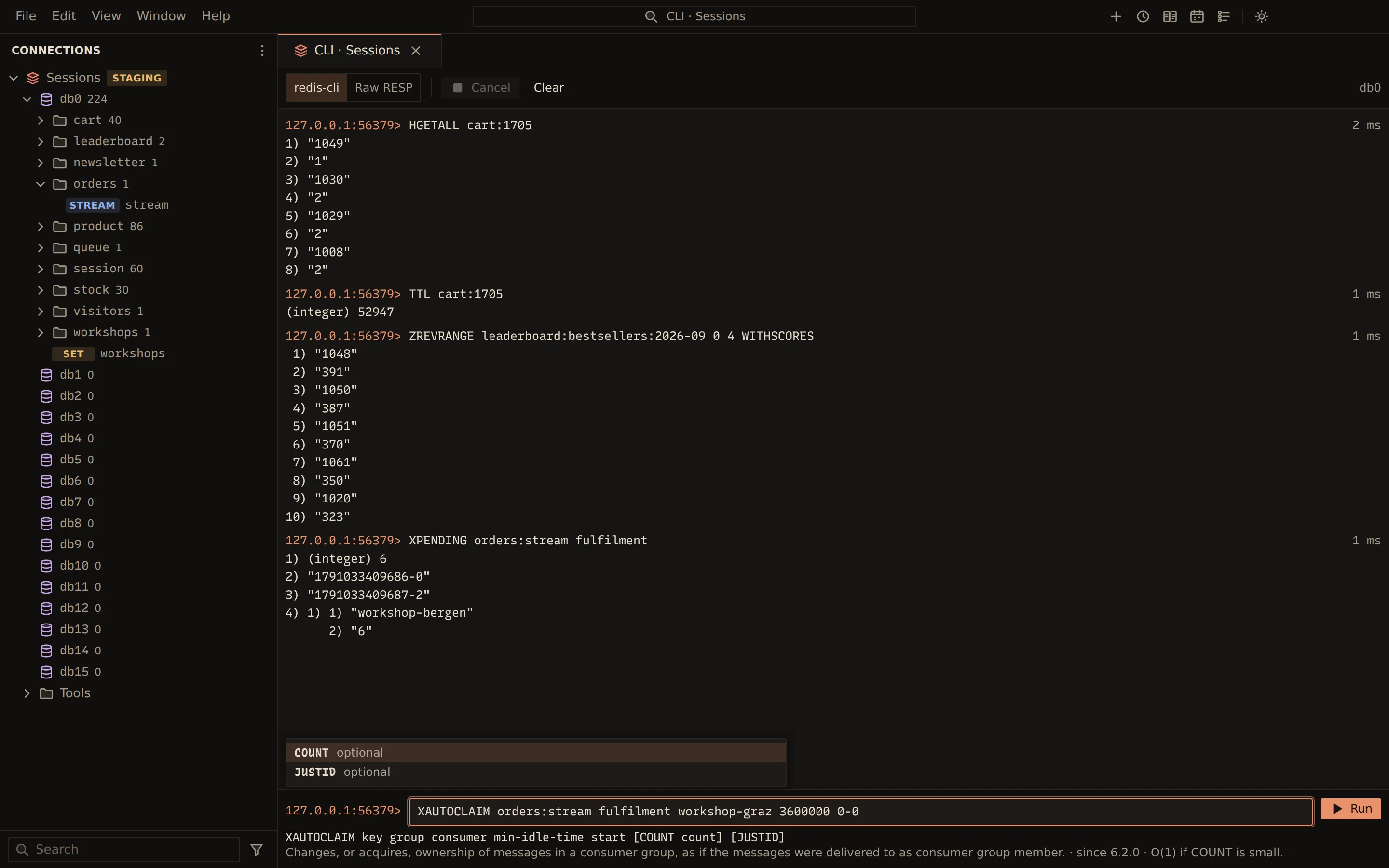
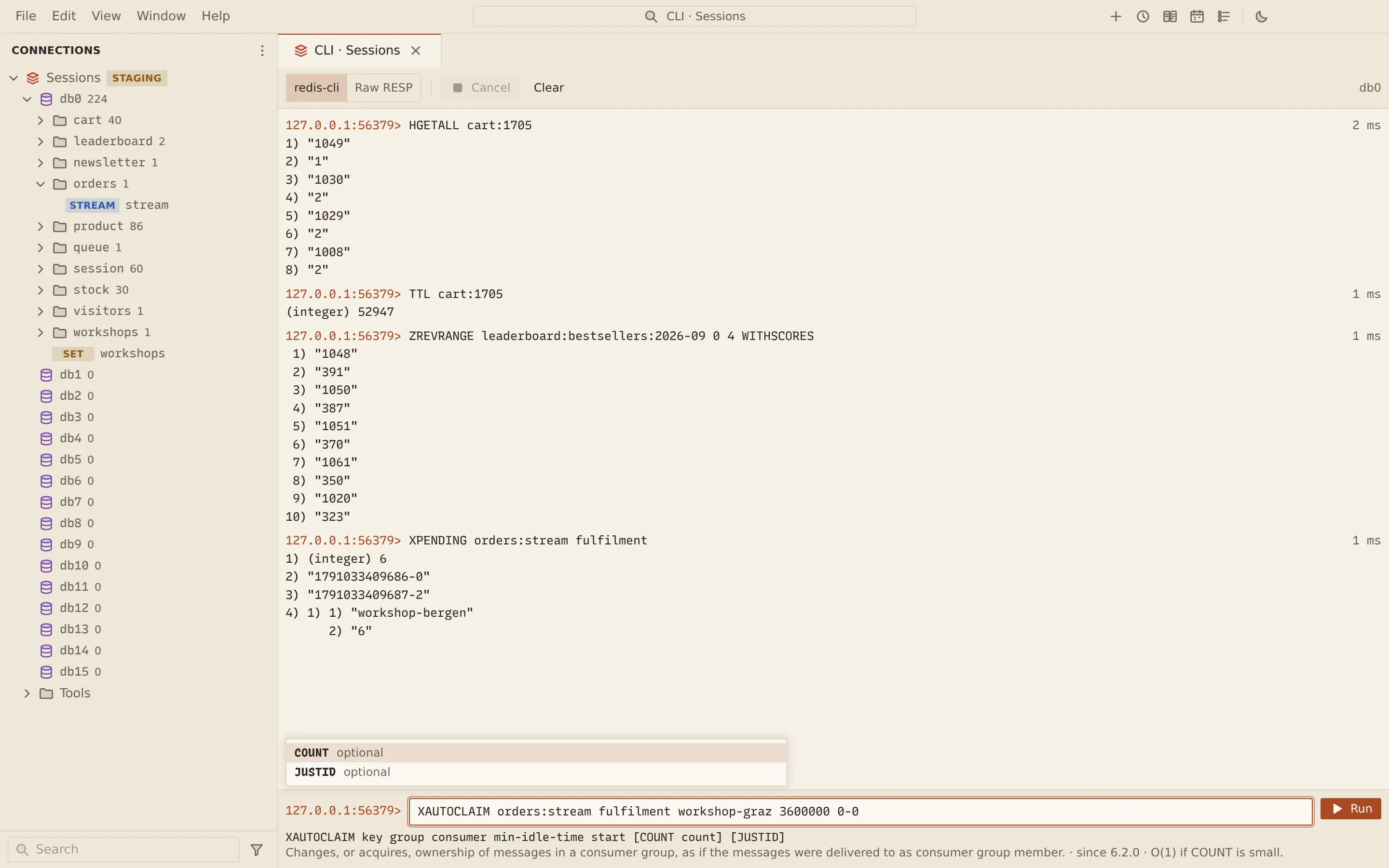
The CLI runs one command line at a time, written as you would in redis-cli. As you type, it completes command names and shows the command’s syntax, summary and the arguments that come next, taken from the server’s own command catalog. Replies print in redis-cli format or as raw RESP.
Run commands
Section titled “Run commands”- Open the CLI: choose Open CLI from the connection’s menu, Open CLI here on a database, or Tools › CLI.
- Type a command, for example
HSET cart:1042 sku-oak-chair 2. Suggestions appear as you type; Tab completes the highlighted one. - Read the inline docs under the line: the syntax, a summary with the version it appeared in and its complexity, and Next: the arguments still to type.
- Press Enter or choose Run.
↑ and ↓ recall earlier commands; the line you were typing is kept. Commands also go into the query history. Clear empties the output.
The inline docs come from COMMAND DOCS, which Redis 7 and later provide. With an older server
only command names complete. A command the server does not know is marked “Unknown command”.
Output
Section titled “Output”Pick redis-cli for replies formatted as redis-cli prints them, such as (integer) 1, or Raw
RESP for the protocol text.
While a MULTI transaction is open, a MULTI badge shows in the toolbar.
Cancel stops a running command by resetting the connection, as redis-cli does; an open MULTI
is discarded.
Cluster mode
Section titled “Cluster mode”Each command goes to the node that holds its key, and the answering node is shown beside the command. Commands without a key run on the node picked in Keyless commands on.
Commands that take over the connection
Section titled “Commands that take over the connection”SUBSCRIBE, PSUBSCRIBE, MONITOR and similar commands are refused in the CLI, with a button to
the tool that does their job: Open Pub/Sub or Open Monitor. See Pub/Sub
and Monitoring.
Write rules
Section titled “Write rules”| Connection | What happens |
|---|---|
| Read-only | Commands that write are refused. |
| Production, or confirm writes | Every command that writes asks first (“Run HSET?”). |
| Any | Destructive commands such as FLUSHDB, DEL or CLIENT KILL ask first. |
From the command line
Section titled “From the command line”querybara query runs redis-cli style command lines, one per line, against a saved profile or a
Redis URI, and prints redis-cli’s output. --format json prints each reply as JSON in one array,
and --format jsonl one reply per line.
querybara query "redis://cache.example.com:6379/0" -e 'SET greeting "hello world"'SUBSCRIBE, MONITOR and other commands that take over the connection are refused, since
querybara query waits for one reply per command. --read-only refuses writes, and destructive
commands ask in a terminal or need --yes.
Related
Section titled “Related”Documents Querybara 0.1.1 · built frombc9f5aa