
Security model
- PostgreSQL
- MySQL
- MariaDB
- MongoDB
- Redis / Valkey
- Elasticsearch
- CLI
Querybara holds credentials to your databases and can change their data, so its design limits what each part can reach. This page describes the protections in the desktop app and the CLI: how the app is isolated, where secrets live, how connections are verified, what asks before it writes, and how exported files are encrypted.
The app
Section titled “The app”A sandboxed renderer
Section titled “A sandboxed renderer”The interface runs as a sandboxed web page without Node.js: context isolation on, Node.js
integration off in the page, its workers and frames, web security on, and no <webview>. Developer
tools are off in packaged builds. The preload exposes nothing but platform and version strings and
a way to receive RPC ports; no ipcRenderer method is reachable from the page.
Database drivers and secrets never load into the page. Drivers run in a separate process per connection; see How Querybara works.
Nothing remote
Section titled “Nothing remote”The page is served from Querybara’s own app://querybara/ origin with a Content Security Policy that
allows nothing remote:
default-src 'none'; script-src 'self'; style-src 'self' 'unsafe-inline';img-src 'self' data: blob:; font-src 'self' data:; worker-src 'self' blob:;connect-src 'self'; object-src 'none'; base-uri 'none'; form-action 'none';frame-ancestors 'none'The two relaxations are for the editor and the grid: style-src 'unsafe-inline' (they inject
style elements) and worker-src blob: (the editor can start workers from blob URLs). There is no
unsafe-eval.
Beyond the policy:
- Every request except those for the app’s own files and
data:,blob:anddevtools:URLs is cancelled before it leaves the machine. The spellchecker’s dictionary download is turned off. - The app never navigates away from itself and never opens a window. A link opens in the system
browser only when it is a plain
httpsURL to a named host, without credentials. - Every permission request from the page (camera, notifications, clipboard reading and so on) is refused.
Electron fuses
Section titled “Electron fuses”The packaged binary has these Electron fuses set: running as Node.js off, cookie encryption on,
the NODE_OPTIONS variable and inspector arguments ignored, ASAR integrity validation on, the app
loaded only from its ASAR archive, and no extra privileges for file://.
Passwords and secrets
Section titled “Passwords and secrets”The OS keychain
Section titled “The OS keychain”Each password and secret in a profile has its own policy, chosen in the connection dialog:
| Option | Where the secret lives |
|---|---|
| Save in the OS keychain | Sealed by the OS keychain and stored in the local store |
| Remember for this session | In memory until Querybara quits |
| Ask every time | Nowhere; Querybara asks when it connects |
Sealing uses Electron’s safe storage: the Keychain on macOS, DPAPI on Windows, and libsecret on Linux. On Linux without a secret service such as GNOME Keyring or KWallet, there is nothing to protect the key, so Querybara reports that saving is unavailable rather than storing a weakly sealed value. Remember for this session and Ask every time keep working.
Sealed secrets in the local store
Section titled “Sealed secrets in the local store”The local store keeps only sealed values. Plaintext never reaches the database file, error messages, or the logged or serialized form of any object. Each sealed value records the scheme that sealed it; a value sealed elsewhere (another machine, another user, a new keychain) is reported as unreadable, and Querybara asks for it instead.
The CLI cannot open the desktop app’s keychain. It seals the passwords it saves with a passphrase
from QUERYBARA_PASSPHRASE: AES-256-GCM with a key derived by scrypt, and a fresh random salt and
nonce for every value. See querybara profiles.
Secrets travel only from the main process to the process that opens the session. The CLI’s
--verbose output never includes them.
Connections
Section titled “Connections”Connections offer four TLS modes, chosen on the connection dialog’s TLS tab:
| Mode | In the dialog | What it does |
|---|---|---|
disable |
Disable TLS | Plain TCP |
require |
Require TLS, no verification | Encrypted, but any certificate is accepted |
verify-ca |
Verify certificate only | The certificate must be signed by a trusted authority |
verify-full |
Verify certificate and host name | The certificate must be trusted and name the host |
A new connection starts with TLS off, because most servers people add first, local ones or ones in a
private network, have none. A URI turns TLS on when it says so: sslmode, ssl-mode, ssl or tls
in its query string, or the rediss://, https:// or mongodb+srv:// scheme. Choosing an SRV
record or an Elastic Cloud ID in the dialog turns it on too. The CLI follows the same rules for
connection URIs.
A connection that crosses a network with TLS off, or with a certificate that is not fully verified,
shows a warning that stays on the connection. A local server, reached at localhost, a loopback
address, a Unix socket, or loopback at the far end of an SSH tunnel, shows no warning: its traffic
does not leave the computer in the clear. A proxy without an SSH tunnel carries the traffic over the
network, so it still warns.
SSH host keys
Section titled “SSH host keys”Querybara checks every SSH server’s host key against a known_hosts file that the desktop app and
the CLI share. Host keys are checked in the main process, for connection hosts and jobs alike.
- A remembered key is trusted.
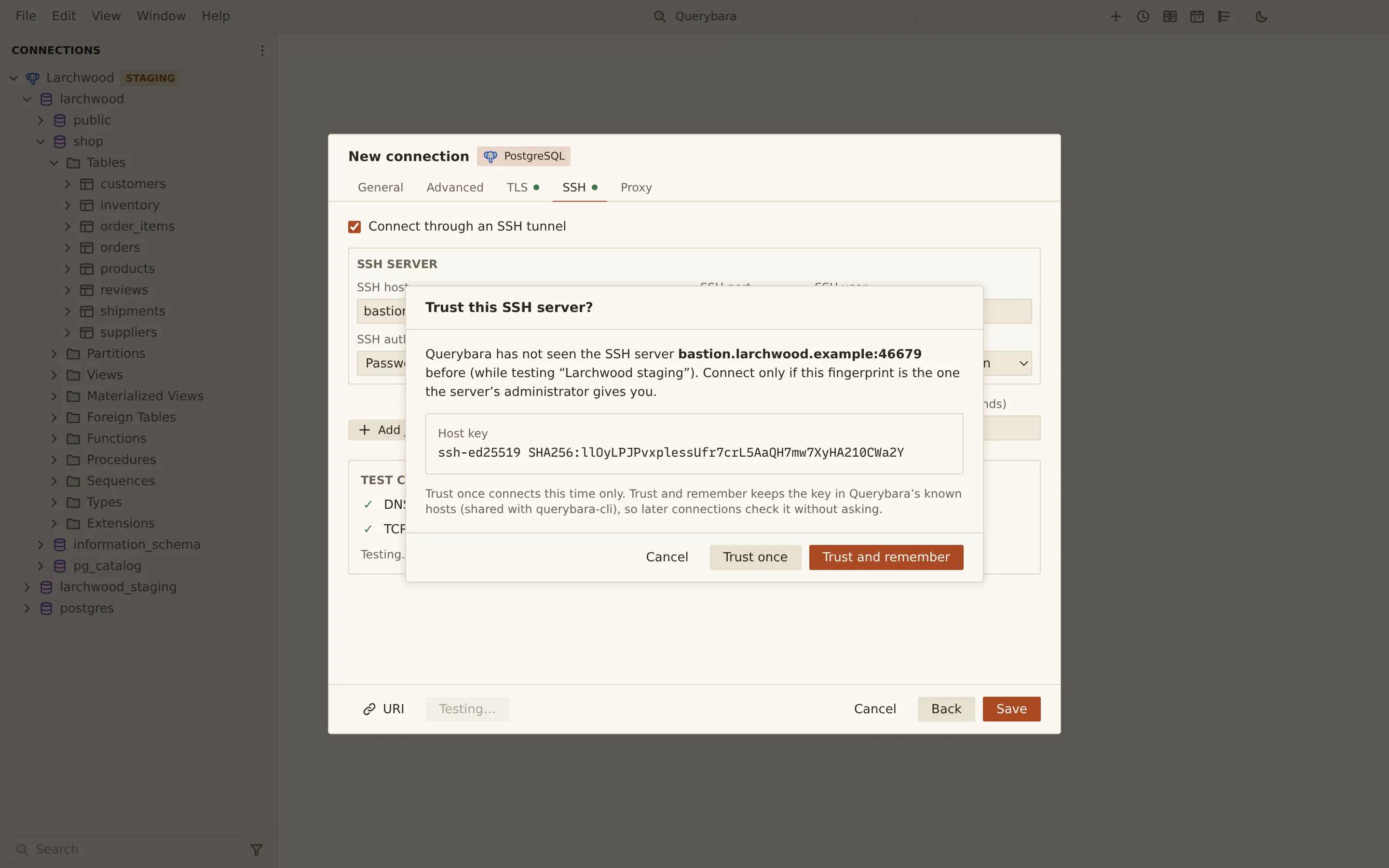
- A new key opens Trust this SSH server?, showing its fingerprint, with Trust once, Trust and remember and Cancel. A question nobody answers in time counts as cancelled.
- A changed key opens Warning: the SSH host key has changed, a blocking warning. Querybara does not connect. The only way forward is Remove the remembered key, which stays disabled until you tick The administrator confirmed that the host key changed; Querybara then asks about the new key.
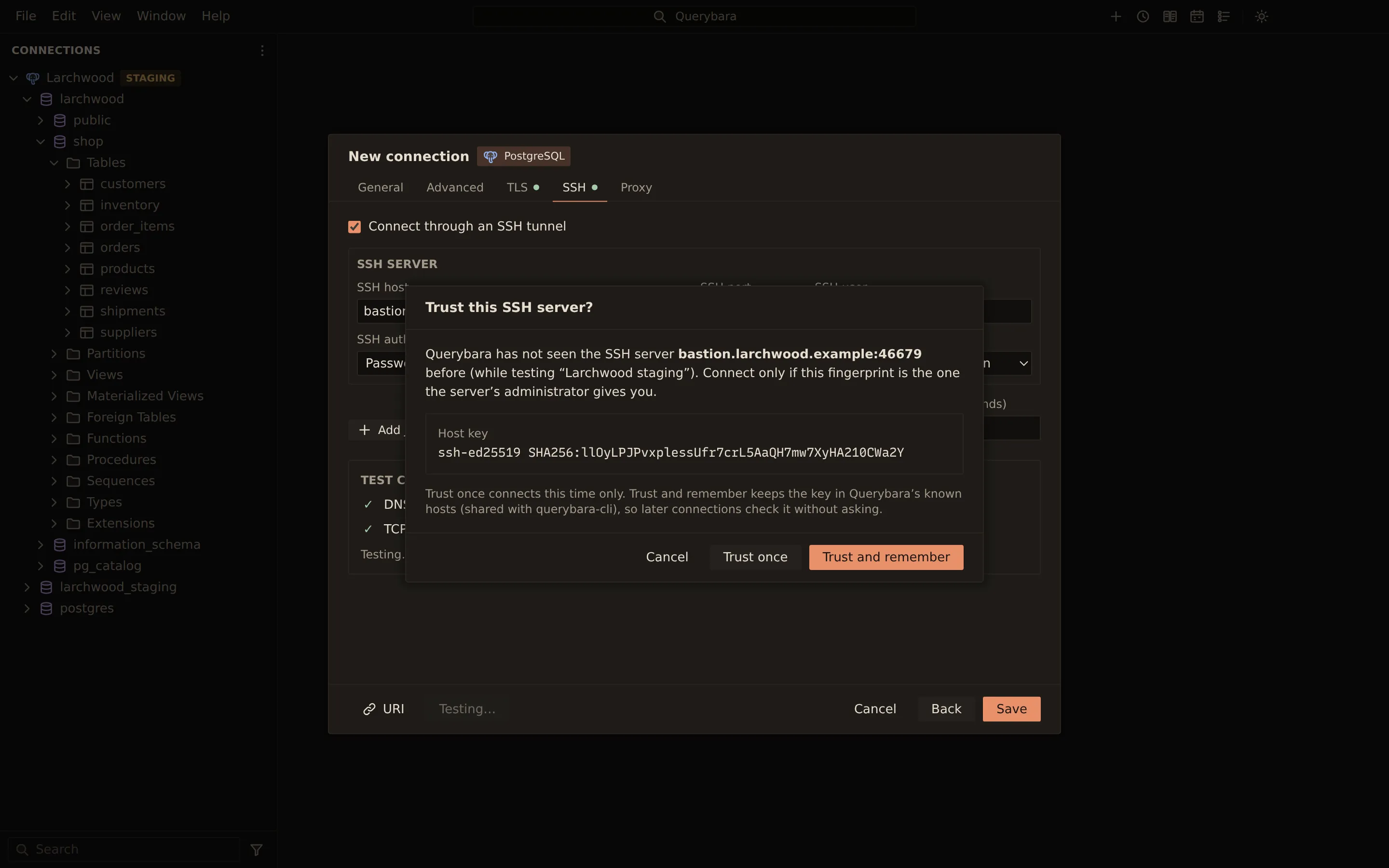
On the command line, a new key is asked about in a terminal and otherwise refused unless you pass
--ssh-accept-new. A changed key is always refused.
When a tunnel reaches every node of a MongoDB replica set or a Redis cluster, it opens a local SOCKS5 endpoint that needs a user name and password, random for each route, so other programs on the computer cannot use the tunnel through it.
Writes
Section titled “Writes”Confirmations and production profiles
Section titled “Confirmations and production profiles”UPDATEorDELETEwithoutWHERE,DROPandTRUNCATEask for confirmation before they run.- A profile whose Environment is Production asks before every write. Confirm every write does the same for any profile.
- Read-only refuses writes outright.
Read-only and Confirm every write are on the connection dialog’s Advanced tab.
Elasticsearch writes follow the same rules. In the CLI, --yes answers the confirmations; without
a terminal, nothing that needs confirmation runs without it.
For jobs, the main process refuses an import into a read-only profile before it starts, and asks for confirmation for the replace and delete modes and for any import into a production or confirm-writes profile. Structure and data sync applies are checked in main and again in the job runner. An apply runs only the script you reviewed: the job runner generates it again and refuses to run a different one.
Scheduled runs go through the same checks. A scheduled SQL file on a production or confirm-writes profile is confirmed once, when you schedule it. A scheduled run never asks for a password: it runs only with passwords that are saved or were typed earlier in the session.
File access for jobs
Section titled “File access for jobs”A job reads only files you picked in an open dialog, and writes only where a save or folder dialog pointed. The page cannot name other files for a job. The same rule covers a schedule’s folder or SQL file, checked when you save the schedule, a Redis dump file for Dump analysis, and an ER model file. Dump analysis reads the file on your computer: nothing is uploaded, and no connection is needed.
Encrypted files
Section titled “Encrypted files”- Backups: a
.qbakarchive can be encrypted with a passphrase: AES-256-GCM under a key derived with scrypt, an HMAC over the header, and frames sealed so that any change, reordering or truncation is detected. The passphrase is not stored, except for a scheduled encrypted backup, whose passphrase is kept in the secret store under the schedule and sealed like a saved password. See The .qbak archive format. - Profile export:
querybara profiles exportencrypts the file with a passphrase (AES-256-GCM, a scrypt key, a random salt and nonce, and the header authenticated). The file holds secrets only when you pass--include-secrets.
The CLI never reads a backup passphrase from the command line, where other users of the machine could see it.
Updates
Section titled “Updates”The updater runs in its own session that may reach only GitHub, over https. Every download is checked against the SHA-512 in the release metadata; on Windows the installer’s Authenticode publisher is checked, and on macOS the new app must satisfy the running app’s code signature. See Updates and channels.
Related
Section titled “Related”Documents Querybara 0.1.1 · built frombc9f5aa