
Backup and restore
- PostgreSQL
- MySQL
- MariaDB
- MongoDB
- Redis / Valkey
Querybara makes logical backups: the structure and the data, written as SQL or into a Querybara
archive (.qbak) with one file per object. A restore can take everything or only the objects you
pick, into the same database or another one. Backups and restores run as
jobs.
- A backup reads PostgreSQL, MySQL or MariaDB in one consistent snapshot.
- Each object becomes its own entry in the .qbak archive: its definition, then its rows.
- A manifest lists the entries, so a restore can pick objects without reading the rest.
- With a passphrase, every entry is encrypted with AES-256-GCM under a key derived with scrypt.
- Restore lists what it would drop before it asks you to go ahead.
- Then it writes only the objects you selected, into any database.
What a backup holds
Section titled “What a backup holds”| Engine | Contents |
|---|---|
| PostgreSQL, MySQL, MariaDB | Tables, views and other objects with their data, read in one consistent snapshot (on MySQL and MariaDB, InnoDB tables) |
| MongoDB | The collections of a database, with their options and indexes |
| Redis | The keys matching a pattern, with their time to live |
Back up a database
Section titled “Back up a database”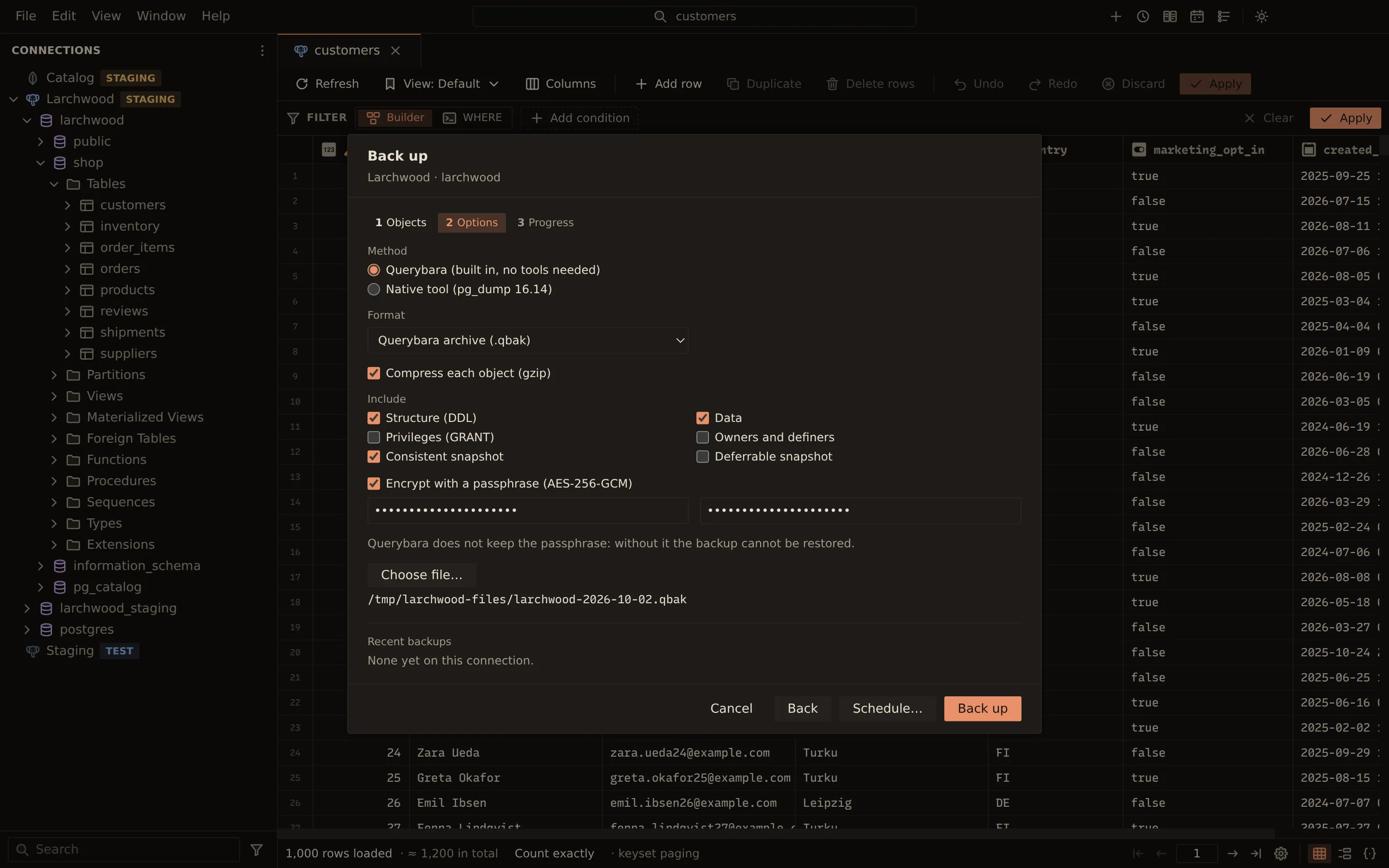
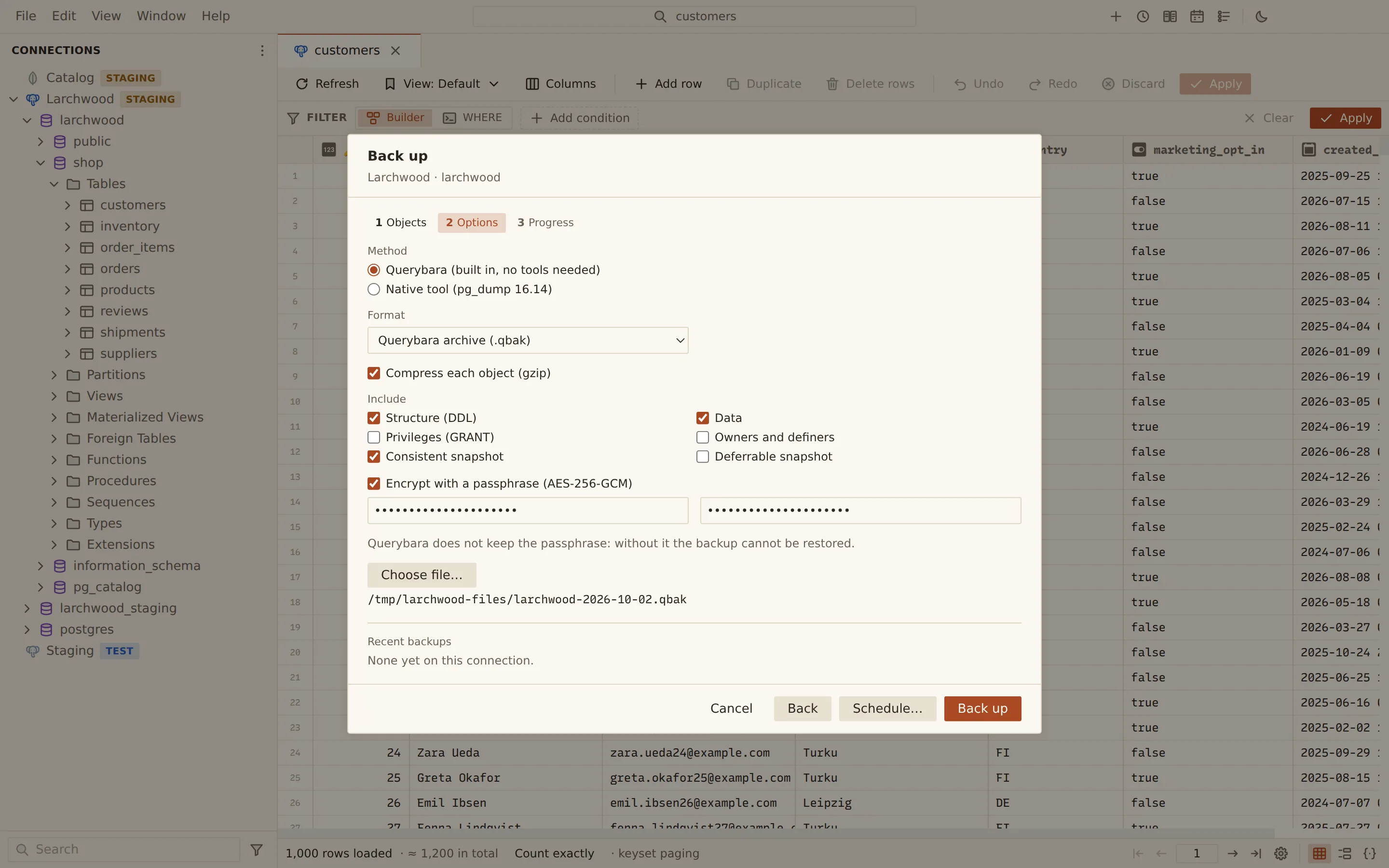
- Right-click a connection, a database or a schema in the sidebar and choose Back up… (Back up keys… on Redis).
- Objects: everything starts ticked under Everything. Untick objects you do not need, or untick rows (documents on MongoDB) to keep an object’s structure without its data. What the chosen objects need comes along: the tables of a view, a column’s type, a trigger’s function.
- Options: pick the method, format and what to include (see below), and choose Choose file….
- Choose Back up and follow the progress.
To back up regularly, choose Schedule… instead of Back up on the last step. No file is chosen in the dialog then: the schedule writes a new file each run, named from a template, and can keep only the newest ones. An encrypted backup’s passphrase is kept in your computer’s secure storage, never with the schedule.
Backup options
Section titled “Backup options”| Option | What it does |
|---|---|
| Method | Querybara (built in, no tools needed), or Native tool (pg_dump, mysqldump or mariadb-dump) when it is installed |
| Format | Querybara archive (.qbak), SQL script (.sql) or Compressed SQL script (.sql.gz); with pg_dump, also pg_dump custom format (.dump). MongoDB and Redis back up to .qbak |
| Include | Structure (DDL), Data, Privileges (GRANT), Owners and definers |
| Consistent snapshot | Reads every table in one snapshot transaction |
| Deferrable snapshot | PostgreSQL: waits for a snapshot free of serialization anomalies before reading |
| Compress each object (gzip) | .qbak archives |
| Encrypt with a passphrase (AES-256-GCM) | .qbak archives; the passphrase needs at least 8 characters |
| Documents as | MongoDB: BSON or Extended JSON (canonical) |
| Keys matching | Redis: the key pattern |
The archive layout is documented in The .qbak format.
Redis server snapshot
Section titled “Redis server snapshot”On Redis, the backup options also offer Server snapshot (BGSAVE)…. It asks the server to save its whole dataset to its own RDB file, on the server rather than on your computer, after a confirmation.
Restore a backup
Section titled “Restore a backup”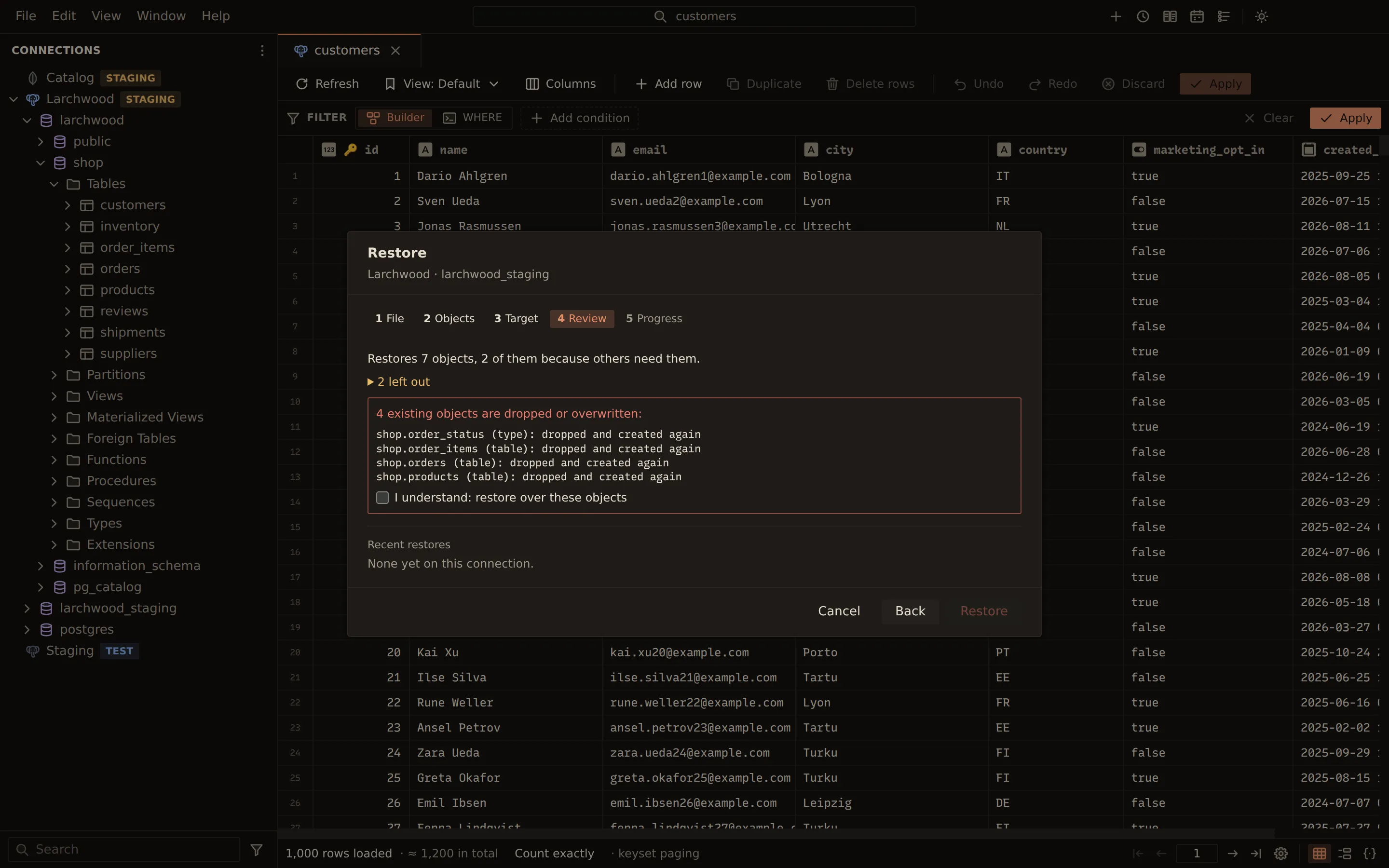
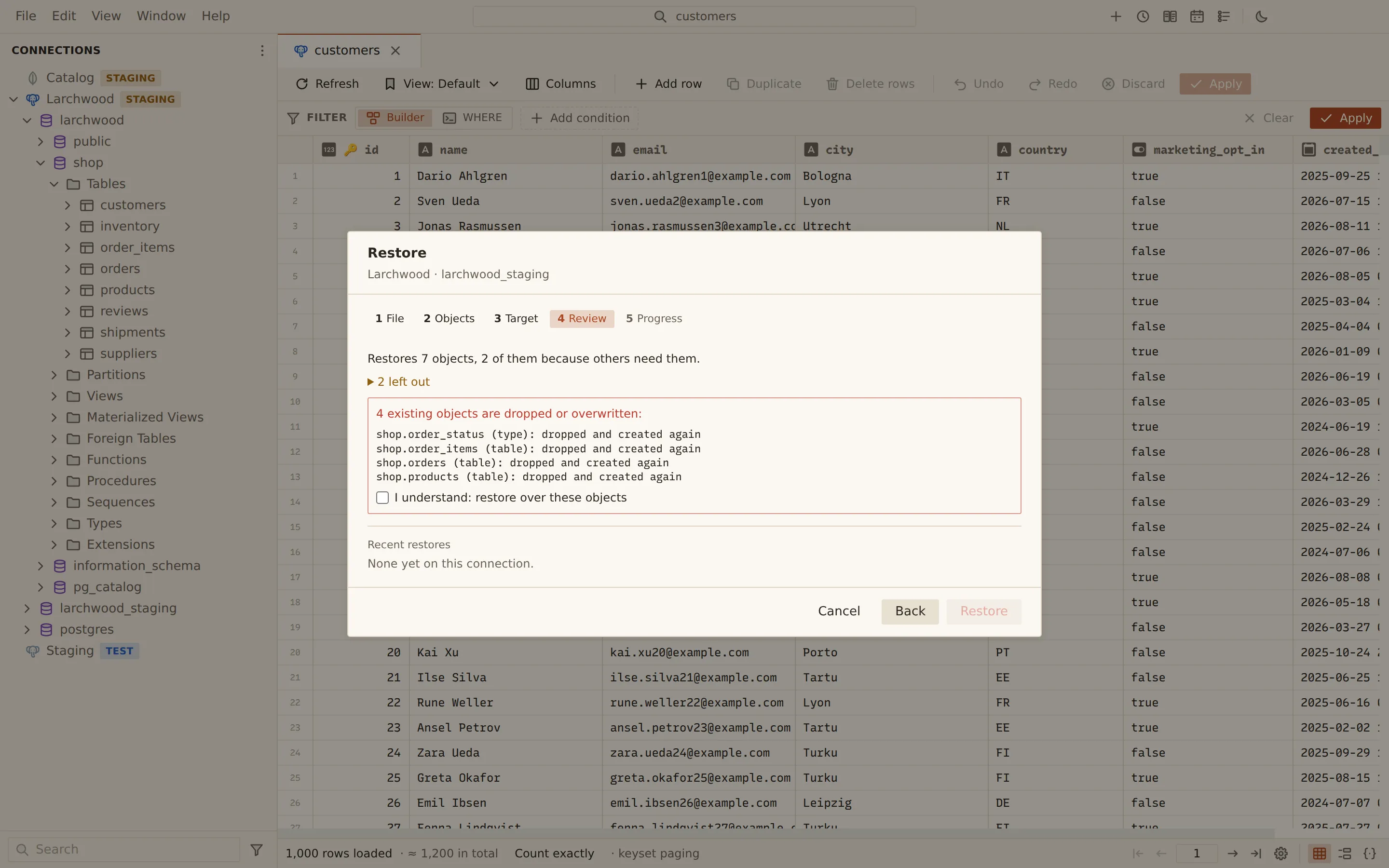
- Right-click a connection or a database and choose Restore… (Restore keys… on Redis).
- File: choose Choose backup file…. An encrypted archive asks for the Backup passphrase; choose Unlock. The step shows the format, size, where the backup came from, when it was made and how many objects it holds.
- Objects (archives): keep Everything, or tick only the objects to restore. What they need comes along; a foreign key comes only when both its tables do. For SQL archives, choose Structure and Data.
- Target: on PostgreSQL, MySQL and MariaDB, pick An existing database or A new database under Restore into and enter its name; on MongoDB enter the database, and on Redis the database number. For a SQL script, choose whether Querybara (statement by statement) or the native tool runs it. Under When a statement fails, pick Stop (and roll back what can be) or Log it and continue. On Redis, choose Replace keys that exist (REPLACE) and Keep the original expiry times (keys already expired are skipped).
- Review: read what will be restored, what comes along because other objects need it, and what already exists and will be dropped or overwritten. If anything is listed, tick I understand: restore over these objects.
- Choose Restore and follow the progress.
From the command line
Section titled “From the command line”querybara backup and querybara restore do the same from a terminal. The passphrase is never read
from the command line: set QUERYBARA_BACKUP_PASSPHRASE (or name another variable with
--passphrase-env), or type it when asked.
QUERYBARA_BACKUP_PASSPHRASE=… querybara backup prod --out shop.qbak --encryptquerybara backup prod --out shop.sql.gz --schema shop --exclude-data shop.audit_logquerybara backup "redis://localhost/2" --out carts.qbak --pattern "cart:*"querybara restore dev shop.qbak --listquerybara restore dev shop.qbak --select shop.orders --dry-runquerybara restore dev shop.qbak --database shop_copy --create-database--dry-run shows what would be restored and dropped without changing anything; --yes restores
over existing objects without asking.
Related
Section titled “Related”Documents Querybara 0.1.1 · built frombc9f5aa