
Export
- PostgreSQL
- MySQL
- MariaDB
The export wizard writes tables, or the result of a query, to files. Rows stream from the server to the file page by page in the job runner, so the size of the table does not matter and you can keep working.
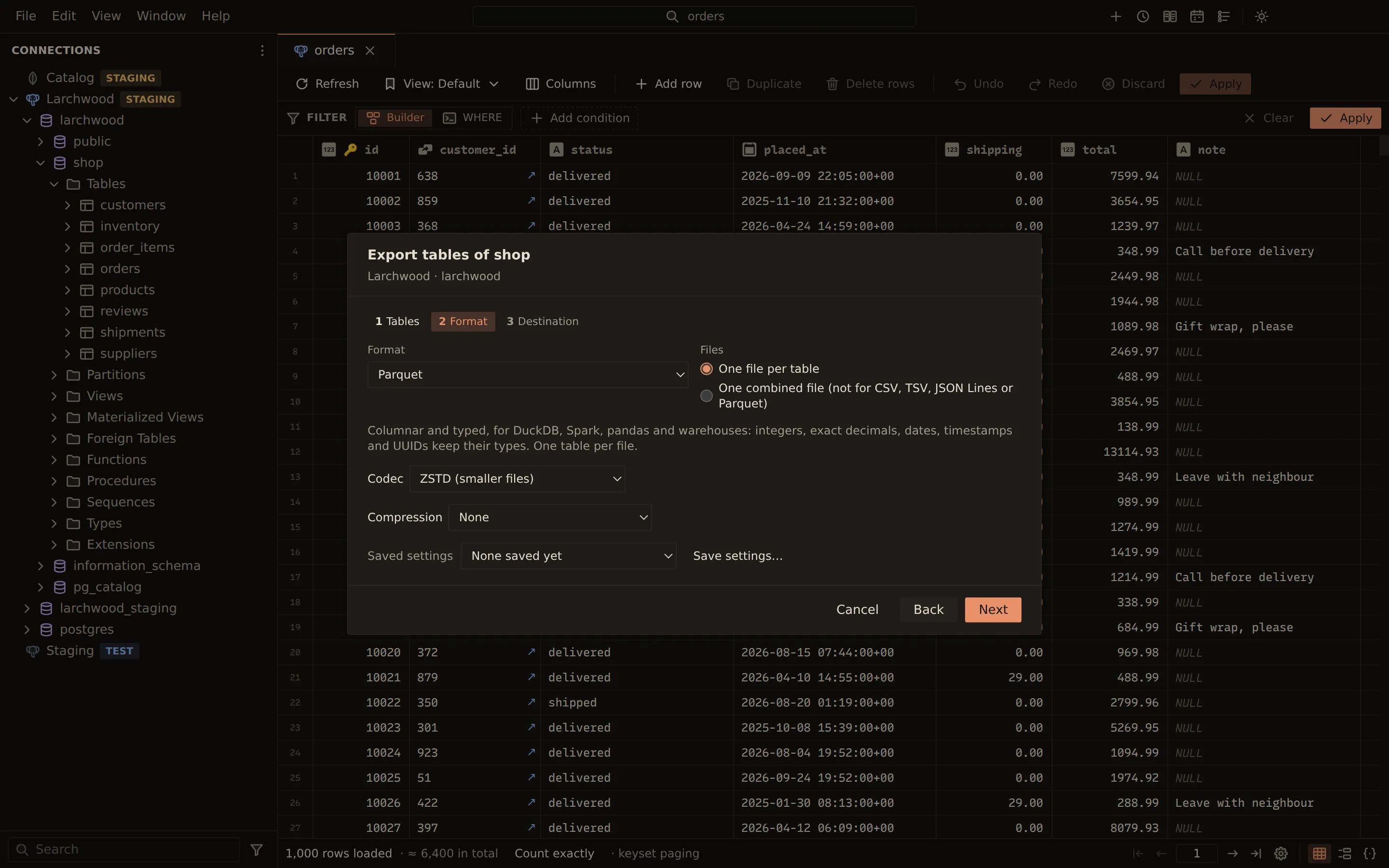
Export tables
Section titled “Export tables”- In the sidebar or the Objects tab, right-click a table and choose Export…, or right-click a schema (a database on MySQL and MariaDB) and choose Export tables….
- Tables: tick the tables to export.
- Format: pick the format and its options (see below), and how several tables are written.
- Destination: choose Choose file…, or Choose folder… when each table gets its own file, then Export.
On the Destination step, Schedule… sets the same export up to run on a schedule instead, writing a new file each run. A query with parameters cannot be scheduled, since no one is there to fill them in.
To export a query result, run the query in a query tab and choose Export results… above the results. The query runs again in the job runner, so every row is exported, not only the rows loaded in the grid. Statements that write do not offer it, since running them again would write again.
Formats
Section titled “Formats”| Format | What it writes |
|---|---|
| CSV, TSV | Delimited text |
| JSON | An array of objects; bigints and decimals stay exact |
| JSON Lines | One JSON object per line |
| Excel workbook (.xlsx) | Typed cells: numbers, booleans, and dates as Excel dates; a worksheet per table |
| XML | An <export> of <table> elements with one <row> per row; NULL is xsi:nil |
| Parquet | Typed columns, one table per file (see below) |
| SQL INSERT statements | Multi-row INSERT statements |
| SQL with DDL (CREATE TABLE and INSERTs) | The CREATE TABLE, indexes and foreign keys, and the rows |
| HTML page | A self-contained page with one table per result |
| Markdown tables | Pipe tables |
Parquet
Section titled “Parquet”Parquet files keep the column types, for tools such as DuckDB, Spark and pandas:
- integers, as 32-bit or 64-bit integers (MySQL’s unsigned
BIGINTas an unsigned one) numeric(p,s)as an exactDECIMAL(p,s), up to 76 digits- dates, timestamps (UTC-adjusted for
timestamptz), PostgreSQL’stime, UUIDs and JSON with their own types - binary values as bytes
Other values stay text as the server wrote it, so no digit is lost: unbounded numeric, money,
intervals, arrays, timetz and MySQL’s TIME. A value the column type cannot hold, such as
PostgreSQL’s infinity date, fails the export and names the column and the row.
Each table goes into its own file: several tables export one file per table, or into a ZIP archive. Codec picks the page compression: Snappy (fast, read everywhere), the default, ZSTD (smaller files), GZIP (for older readers) or None. Parquet compresses its own pages, so gzip is not offered.
Options
Section titled “Options”| Option | Formats |
|---|---|
| One file per table or One combined file | Several tables; combined is not available for CSV, TSV, JSON Lines or Parquet |
| Header row with the column names | CSV, TSV, Excel (bold, frozen, with filters) |
| Delimiter: comma, semicolon or pipe | CSV |
| Write NULL as | CSV, TSV |
| Decimals as Excel numbers when exact (up to 15 digits); otherwise decimals are text | Excel |
| Pretty-print (indent each object) | JSON |
| Rows per INSERT | SQL |
| DROP TABLE IF EXISTS before each CREATE TABLE | SQL with DDL |
| Codec | Parquet |
| Compression: None, gzip, or a ZIP archive | All (no gzip for Excel or Parquet) |
| Byte order mark (for Excel) and Encoding (UTF-8 or UTF-16LE) | Text formats (not Excel or Parquet) |
By default, Excel cells keep values exact: integers beyond what a double holds and decimals are written as text.
A failed or cancelled export removes the partial file. Saved settings keeps the wizard’s choices under a name (Save settings…); file paths are never saved.
From the command line
Section titled “From the command line”querybara export writes the same formats. Several tables go to one file per table in a folder,
into one ZIP archive with --zip, or into one file with --one-file (not for CSV, TSV, JSON Lines
or Parquet). --codec picks the Parquet codec: snappy (the default), zstd, gzip or none.
querybara export prod --table shop.orders --format csv --out orders.csvquerybara export prod --table shop.orders --table shop.order_items --format sql-ddl --one-file --out shop.sql --gzipquerybara export prod --table shop.orders --table shop.order_items --format xlsx --one-file --out shop.xlsxquerybara export prod --table shop.orders --format parquet --codec zstd --out orders.parquetquerybara export prod --query "select id, email from shop.customers" --format json --out customers.jsonRelated
Section titled “Related”Documents Querybara 0.1.1 · built frombc9f5aa