
Aggregation editor
- MongoDB
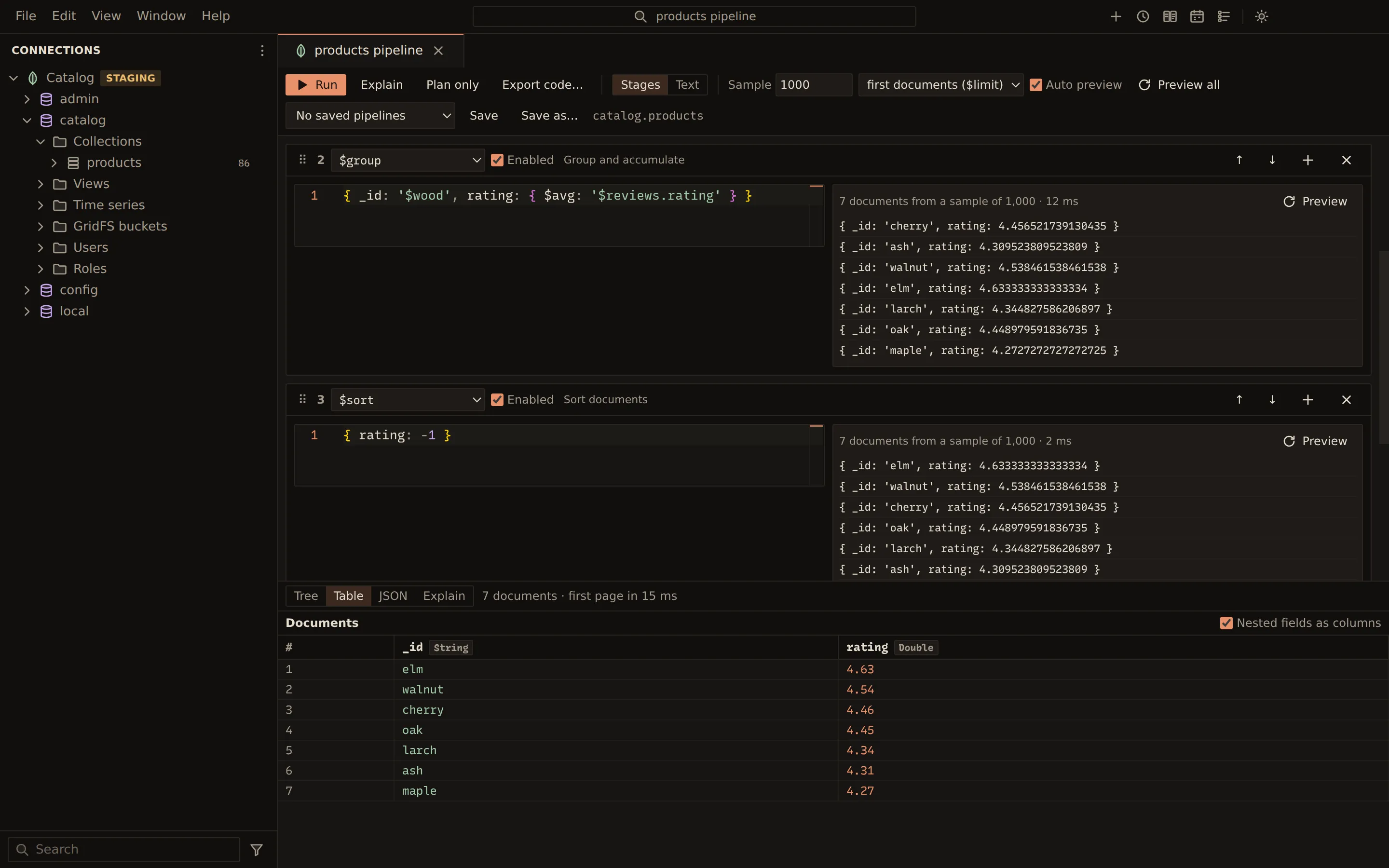
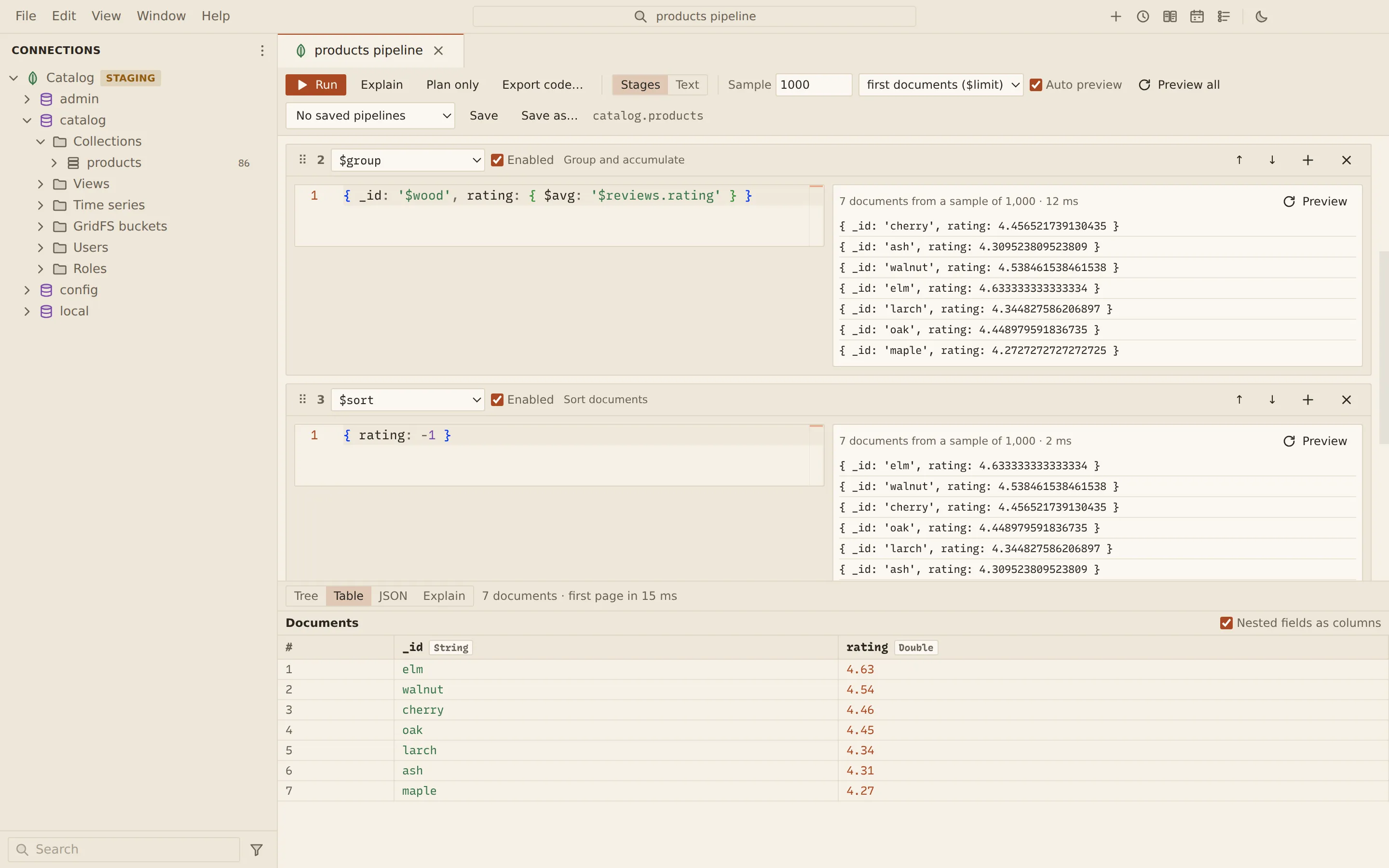
The aggregation editor builds a pipeline as a list of stage cards. Each card previews its own output on a sample of the collection, so you see what every stage does before you run the whole pipeline. You can switch a stage off, reorder stages, edit the pipeline as one text, save it under a name and export it as code.
Open the editor
Section titled “Open the editor”- Choose Aggregate… from a collection’s menu in the explorer.
- Choose Tools › Aggregate in the collection view. The
pipeline starts with the view’s current filter as a
$matchstage. - Choose Open in aggregation editor in a SQL tab whose SELECT translates
to an
aggregate().
Build a pipeline
Section titled “Build a pipeline”- Pick the stage’s operator in the card’s list. A short description of the stage appears beside it, with notes such as “must be first” or “writes”.
- Type the stage body in mongosh syntax, for example
{ category: 'chairs' }for a$match. - Choose Add stage to add a stage at the end, or a card’s + button to add one after that card.
- Watch each card’s preview, for example “20 documents from a sample of 1,000”.
- Choose Run to run the enabled stages on the whole collection.
Each card also has:
- Enabled: clear it to skip the stage. Its preview reads “Not previewed”, and the later stages preview without it.
- Move up and move down buttons, a drag handle, and Alt + ↑ / Alt + ↓ on the handle to reorder.
- A remove button.
- Preview to preview that stage again.
Preview settings
Section titled “Preview settings”| Setting | What it does |
|---|---|
| Sample | How many documents the previews start from (1,000 by default). |
| Sampling | first documents ($limit) or random ($sample). |
| Auto preview | Previews again as you edit (on by default). |
| Preview all | Previews every stage now. |
A preview shows at most 20 documents per stage.
Edit as text
Section titled “Edit as text”Set Edit as to Text to see the whole pipeline in mongosh syntax. Disabled stages are
commented out with //:
[ { $match: { status: 'open' } }, // { $sort: { total: -1 } }, { $limit: 3 }]The cards follow the text while it parses. Set Edit as back to Stages to return to the cards.
Results, explain and saved pipelines
Section titled “Results, explain and saved pipelines”The lower half shows the run in the Tree, Table and JSON views of the collection view, or the plan in Explain. Explain and Plan only in the toolbar work as in Explain.
Pipelines are saved per collection:
- Save as… saves the pipeline under a name.
- Save saves over the pipeline you opened.
- Open saved… lists the saved pipelines; Delete removes the open one.
Export code… exports the enabled stages as a program. See Export query as code.
Pipelines that write
Section titled “Pipelines that write”A pipeline whose last enabled stage is $out or $merge writes its results to a collection.
- Previewing such a stage writes nothing: the preview shows the documents it would write.
- Run asks first and shows the pipeline.
$outreplaces what the target collection holds. - A read-only connection does not run it.
Related
Section titled “Related”Documents Querybara 0.1.1 · built frombc9f5aa