
SQL tab
- MongoDB
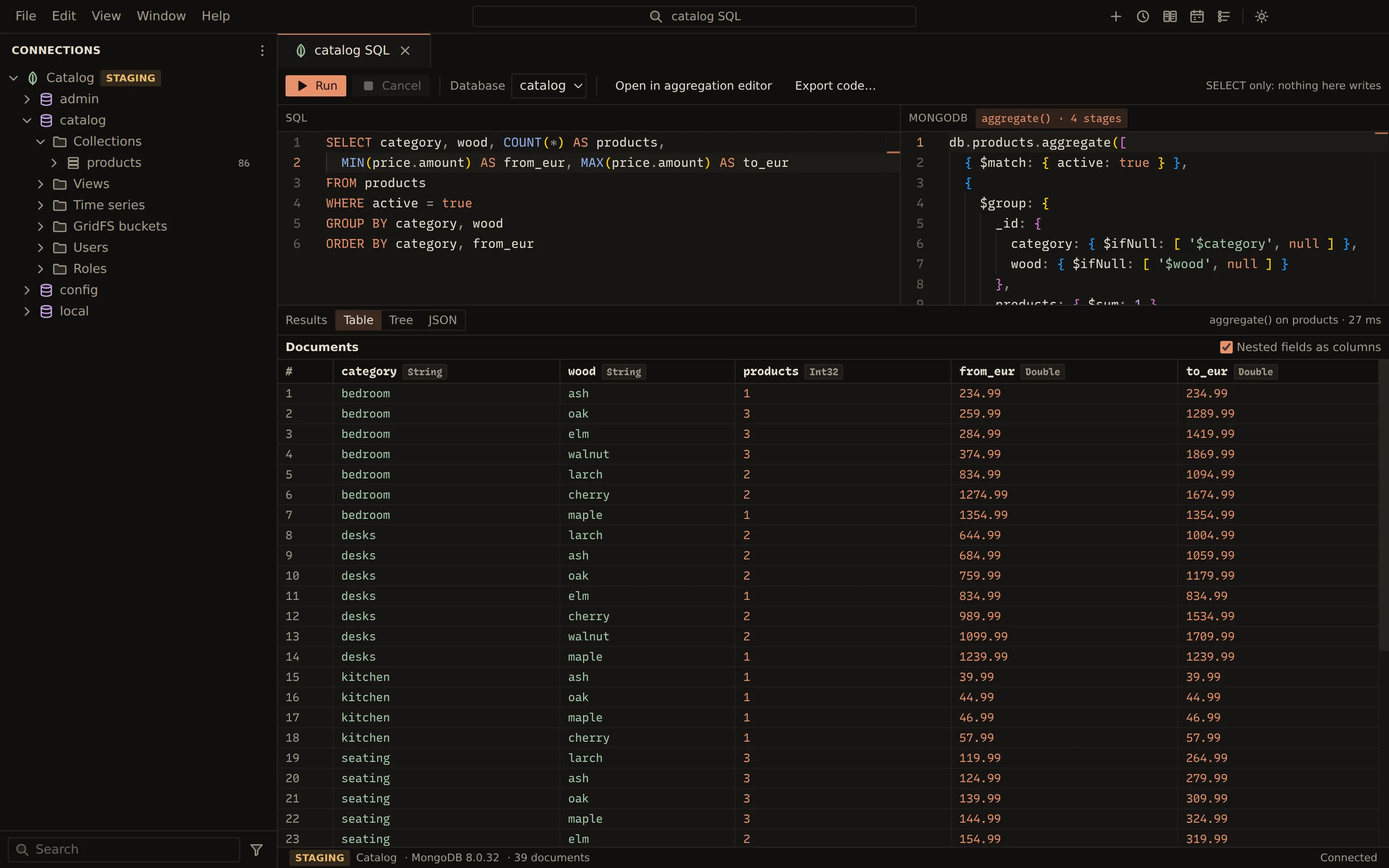
The SQL tab lets you write a SELECT against a MongoDB database. As you type, Querybara translates
it into a find() or an aggregate() and shows the translation beside the SQL. You run it there,
or open the translation in the collection view or the aggregation editor to keep working on it in
MongoDB’s own terms.
Query with SQL
Section titled “Query with SQL”-
Open a SQL tab:
- New SQL query on a database in the explorer,
- Query with SQL on a collection, which starts with a query on it,
- or Tools › SQL in the collection view.
-
Check the Database.
-
Type a
SELECT, for example:SELECT name, price FROM products WHERE price > 100 ORDER BY price DESC -
Read the translation in the MongoDB pane. Its badge says find() or, for a pipeline, aggregate() with the number of stages.
-
Choose Run, or press Ctrl + Enter (Cmd + Enter on macOS).
The documents show under Results in the Table, Tree or JSON view. The table’s columns follow the select list. Cancel stops a running query.
A GROUP BY, a join or an aggregate function becomes an aggregate():
SELECT category, COUNT(*) AS products, AVG(price) AS average_priceFROM productsGROUP BY categoryORDER BY products DESCWhat translates
Section titled “What translates”Supported: SELECT with WHERE, [INNER | LEFT] JOIN … ON, GROUP BY, HAVING, ORDER BY,
LIMIT and OFFSET, DISTINCT, and COUNT, SUM, AVG, MIN and MAX. In WHERE you can
use comparisons, AND, OR, NOT, IN, BETWEEN, LIKE and ILIKE, and IS [NOT] NULL.
When the SQL does not translate, the MongoDB pane says Does not translate with the place of the problem, or Not supported with the list of what is. Run then stops with “Fix the SQL first”.
Where SQL and MongoDB differ, the translation keeps SQL’s meaning unless noted:
| Case | Behaviour |
|---|---|
| Names | Field names are case-sensitive; keywords are not. A dot separates path segments, such as dimensions.width. |
| Missing fields | A missing field counts as NULL. Write IS NULL, not = NULL. |
LIKE |
Case-sensitive; ILIKE is not. |
| Joins | Use $lookup and $unwind. The joined document sits under the join’s alias. |
ORDER BY |
Sorts as MongoDB does: nulls first in ascending order, types in BSON order. |
LIMIT 0 |
Refused, because MongoDB reads a zero limit as no limit. |
Open the translation elsewhere
Section titled “Open the translation elsewhere”- Open in collection view opens a
find()in the collection view with its filter, sort and limit filled in. - Open in aggregation editor opens an
aggregate()in the aggregation editor as stage cards. - Export code… exports the translation as a program. See Export query as code.
Related
Section titled “Related”Documents Querybara 0.1.1 · built frombc9f5aa