
Structure sync
- PostgreSQL
- MySQL
- MariaDB
Structure sync compares the schema of a source database with a target and turns the differences into operations: create, alter, drop and rename. You tick the ones you want, Querybara writes a script in dependency order, applies it to the target, and compares again. Use it to bring staging in line with development, or to check that two servers match.
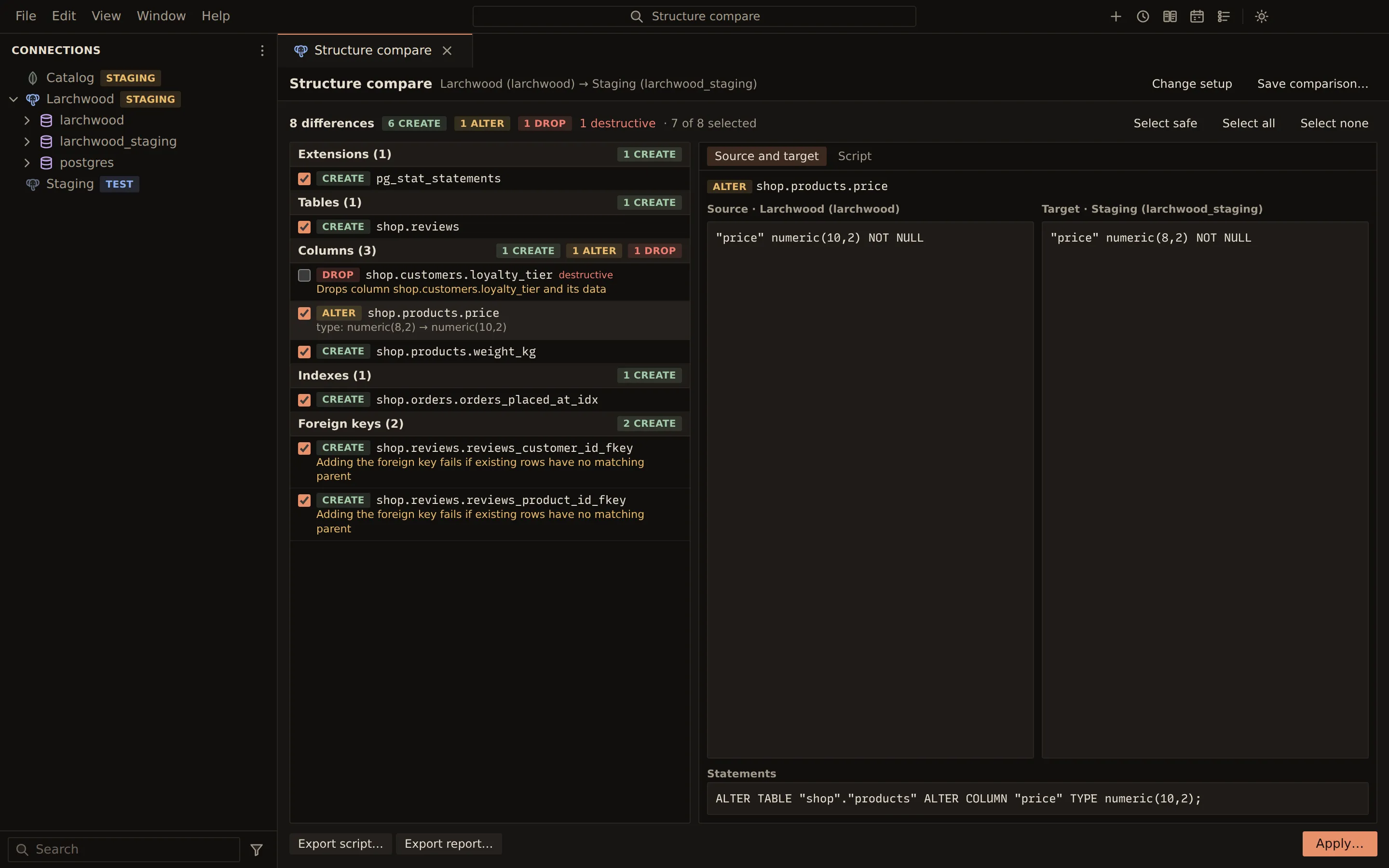
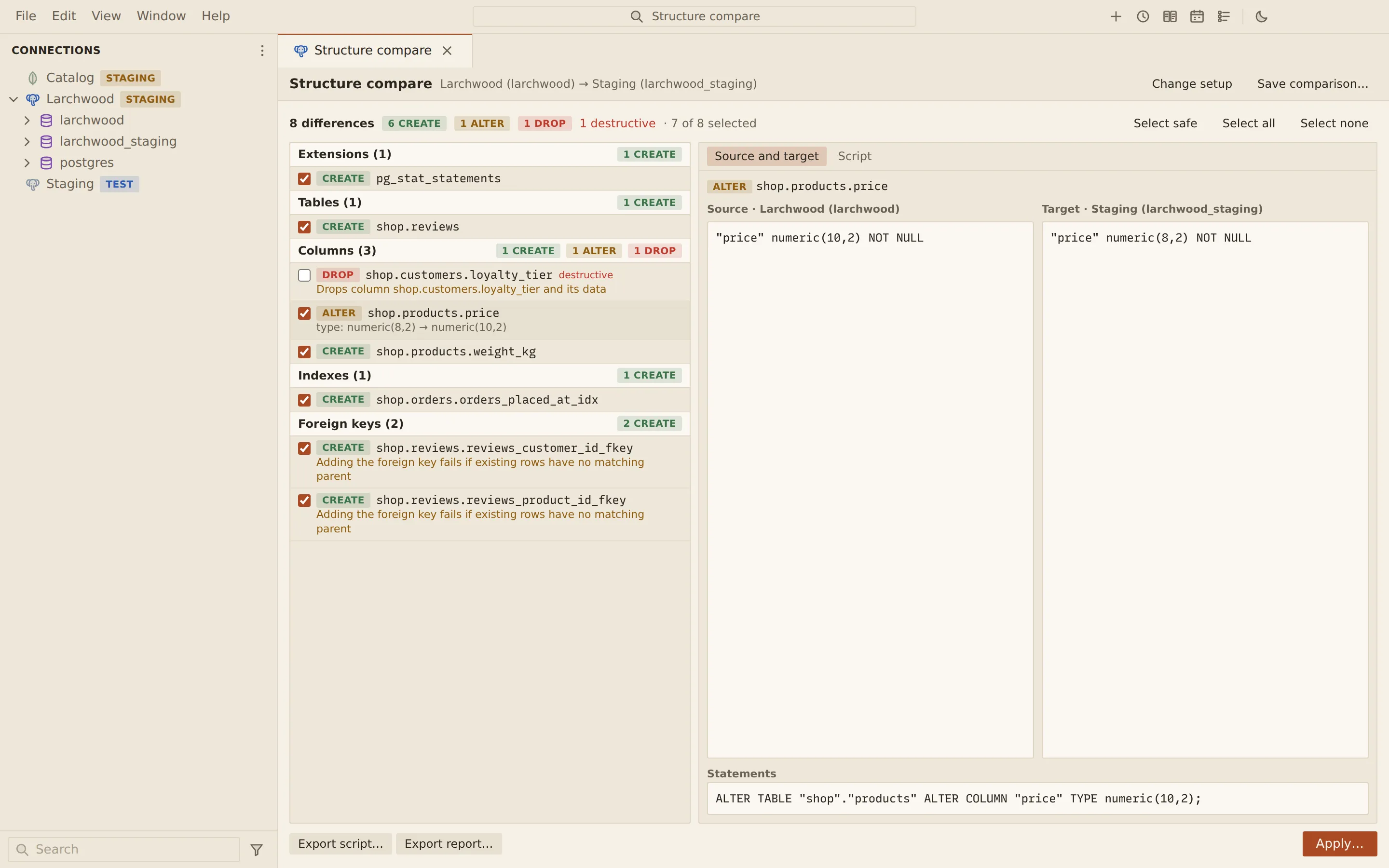
- Compare reads the structure of both databases.
- The differences become operations to create, alter and drop. You see both definitions side by side.
- Destructive operations start unticked: a drop runs only if you choose it.
- The selection becomes one script in dependency order, so a table exists before its foreign keys need it.
- Apply runs only the reviewed script (its hash must match), in one transaction on PostgreSQL.
- Compare runs again. Everything you applied is gone; only the drop you left unticked remains.
Compare two databases
Section titled “Compare two databases”- Choose Compare in the title bar, then Compare structure…. Or right-click a connection, a database or a PostgreSQL schema in the sidebar and choose Compare structure with…, which fills in the source.
- Under Source, pick the Source connection and Source database. The source is the structure you want.
- Under Target, pick the connection and database to change. List databases connects and
fills the list. On PostgreSQL you can limit both sides to some schemas, such as
shop. - Open Options and tick what to ignore (see below).
- Choose Compare.
The compare runs as a job in the job runner, so it shows in the Jobs panel with progress and can be cancelled. ⇄ swaps the source and target.
Review the differences
Section titled “Review the differences”The result lists the operations grouped by object kind, each with a create, alter, drop or rename badge, a tick box, and a summary of what changes. The header counts the differences, the destructive ones and how many are selected.
- Destructive operations, which lose data or code, arrive unticked and are marked destructive.
- Select safe ticks every non-destructive operation; Select all and Select none do what they say.
- Click an operation to see the source and target definitions side by side on the Source and target tab.
- The Script tab shows the script for the ticked operations, in dependency order.
If a ticked operation needs one that is not ticked (a view on a new table, say), a warning names the missing operations.
Renames
Section titled “Renames”A table, column, index, constraint or view renamed in the source would otherwise show as a drop and a create. Under Rename mapping, choose Add a rename and give the object, its name in the target and its name in the source; the target is then renamed instead. With Detect renamed indexes and constraints on, identical drop and create pairs of those become renames.
Apply the script
Section titled “Apply the script”- Choose Apply…. The Review and apply dialog shows the target, the script, and every destructive operation by name.
- If the dialog asks for it, tick I reviewed this script and want to run it.
- Choose Apply (or Apply to production for a production connection).
Querybara runs only the script you reviewed: it sends the script’s SHA-256 hash with the selection, the job runner generates the script again, and it refuses to run a script that differs. After applying, it reads the target again and compares it with the source: the notice says the target now matches the source, or how many differences remain.
| Target | How the script runs |
|---|---|
| PostgreSQL | In one transaction: if a statement fails, nothing is changed |
| MySQL and MariaDB | Statement by statement. DDL is not transactional, so statements before a failure stay applied, and you must tick the confirmation |
Options
Section titled “Options”| Option | What it does |
|---|---|
| Ignore comments | Comments do not count as differences |
| Ignore collation | Collations do not count; character sets still do |
| Ignore auto-increment values | MySQL and MariaDB counters |
| Ignore DEFINER | MySQL and MariaDB routines and views |
| Ignore ownership | PostgreSQL owners |
| Ignore privileges | Grants do not count |
| Ignore partitions | Partitioning does not count |
| Ignore column order | MySQL and MariaDB |
| Ignore name case | MySQL and MariaDB |
| Ignore names of generated constraints and indexes | Matches them by definition |
| Ignore extension versions | PostgreSQL |
| Detect renamed indexes and constraints | Renames instead of drop and create |
Save and export
Section titled “Save and export”- Save comparison… keeps the two connections, databases, schemas, options and rename mapping under a name. Reopen it from Compare › Saved comparisons… with Open, and compare again. A saved comparison does not keep results; the comparison itself lasts while its panel is open.
- Schedule… next to a saved comparison in Saved comparisons… runs it on a schedule. A run that finds differences writes the HTML report.
- Export script… writes the script for the ticked operations to a
.sqlfile. - Export report… writes an HTML report of the comparison.
From the command line
Section titled “From the command line”querybara compare compares a source and a target. It exits 0 with no differences, 1 with
differences (or differences remaining after --apply), and 2 on errors.
querybara compare dev staging --schema shop --out deploy.sql --html report.htmlquerybara compare dev staging --include-destructive --apply --yesDestructive operations start unselected here too; --include-destructive selects them. --apply
on MySQL and MariaDB needs --yes.
Related
Section titled “Related”Documents Querybara 0.1.1 · built frombc9f5aa